Setting Up the Interview Companion Agent
Last updated: August 21, 2026
Who turns this on, and where it applies
Various Interview Companion Agents can be created under the fyi Agent directory. Each agent can be given a unique name and settings.
After an Interview Companion Agent is created, it can be added to Interview Plans, Job Setups, Scheduling requests, etc.
In order for the agent to actually capture the interview applicable conditions like candidate consent and event location must be met.
Note: event conference types must be either phone or a supported video platform (i.e. Google Meet, Zoom, etc.)
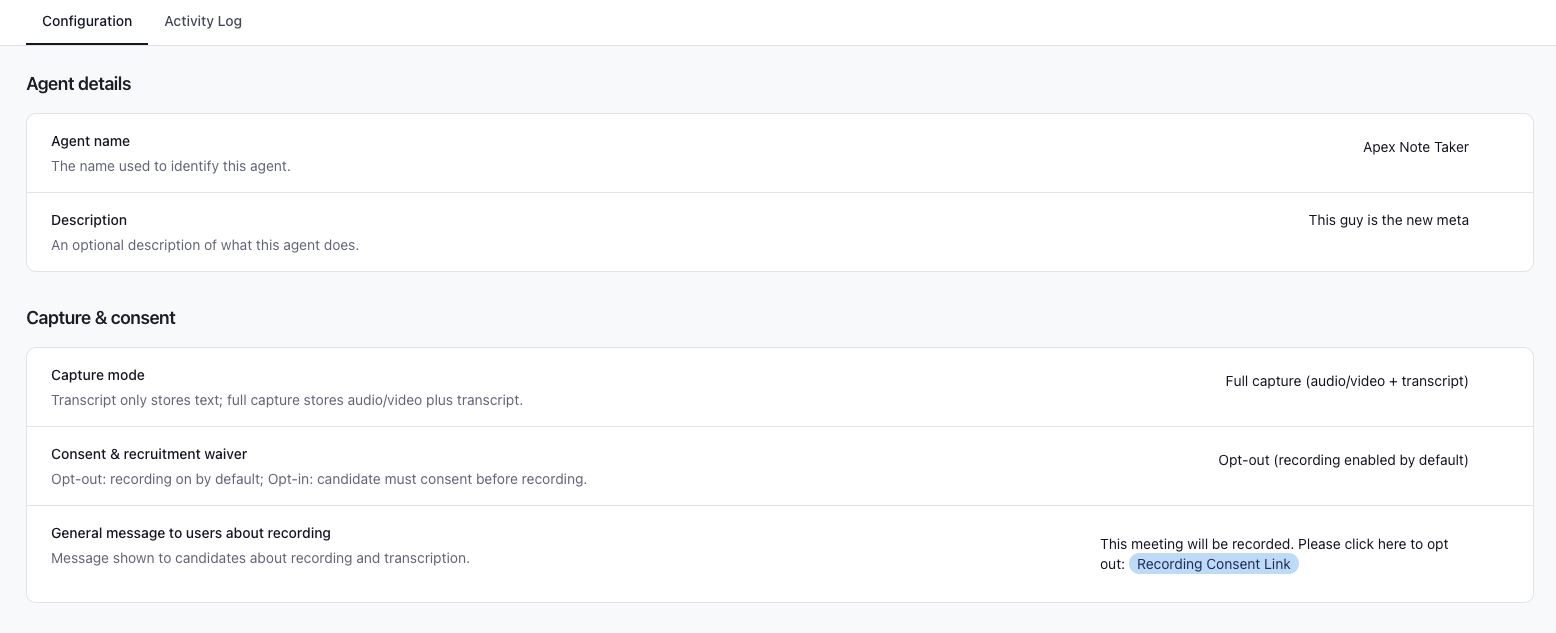
Recording, consent, and capture mode
Your organization’s notetaker settings control how recording works and what is captured:
Capture mode
Full capture (audio/video + transcript) — includes media suitable for playback alongside the transcript where available.
Transcript only — focuses on transcript-oriented capture without retaining audio/video.
Candidate consent
Opt-out (recording enabled by default) — recording can start automatically; candidates can opt out according to your process and messaging.
Opt-in — candidates are asked to acknowledge consent before recording starts.
Administrators can also set a general message to users about recording (for example, that the interview will be recorded and transcribed to help the hiring team review and provide feedback, and that candidates may opt out where applicable). Placeholders in emails and calendar templates can link candidates to consent flows when your team configures them.
Interview Summary Prompt
Interview Companion Agent's support a custom summary prompt so summaries can be tailored to each agent. By default, a system prompt will be used - generic context and instructions.
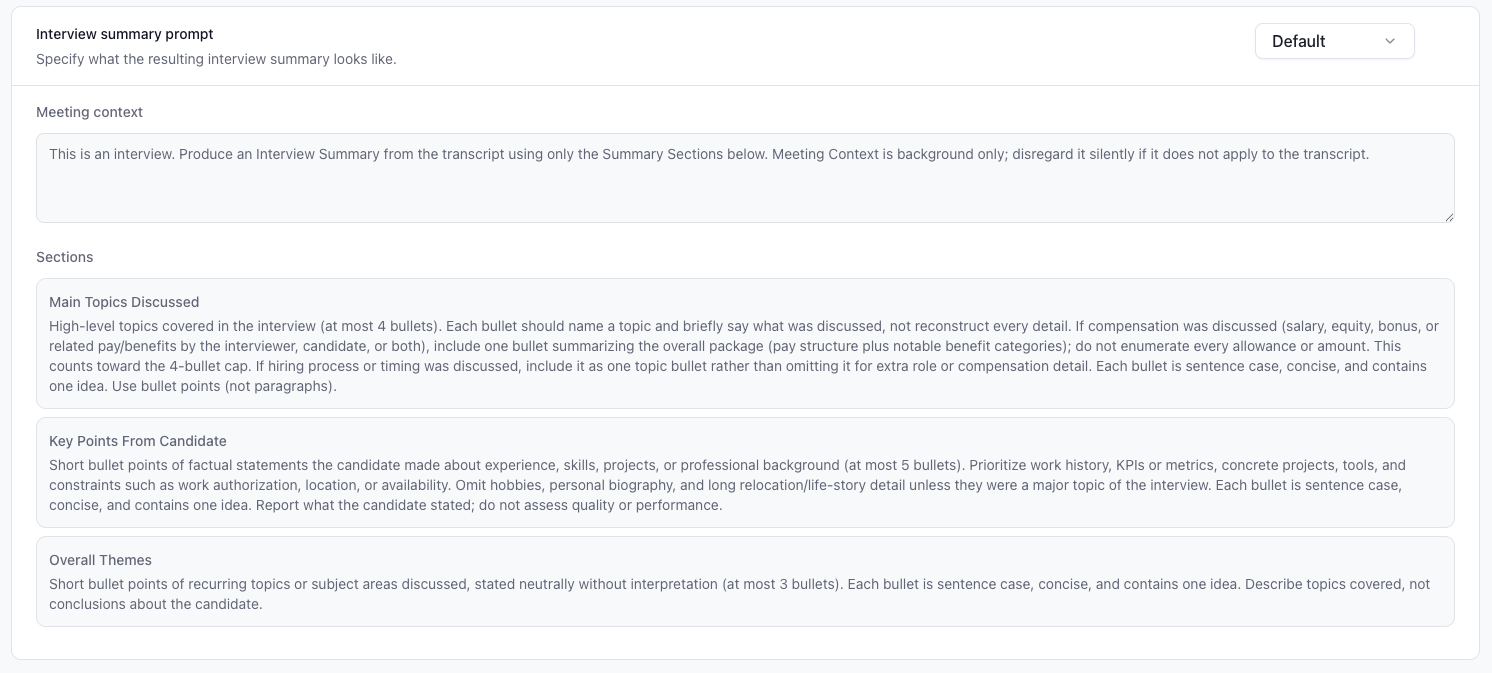
To customize, switch the drop down to custom. Then add context about the meeting and the desired sections. Use each of the inputs to instruct the agent as you would another person if you were having them take notes for you. You can include things like formatting, length, information, etc.
Retention
Each Interview Companion Agent has its own retention policy, independent of capture mode and consent. Retention controls how long candidate.fyi keeps certain notetaker outputs after the interview; it does not change whether capture runs at all.
Two settings
Media retention — Governs raw capture and transcript-oriented storage (for example recording files and transcript data used with playback, depending on capture mode). When the retention period elapses, that tier of content is removed according to policy.
Notes retention — Governs AI-generated interview outputs stored on the interview (for example summary and structured panels such as Q&A-style highlights and timing-style insights). When the retention period elapses, those generated fields are cleared; behavior may differ from media retention so the two can be set to different durations.
Options — Each setting can be kept indefinitely or limited to a fixed period (7, 14, 30, 60, 90, 180, or 365 days).
Indefinite means no automatic expiry for that tier.
Relationship to capture mode — Media and notes retention still apply on top of capture mode and determine how long the corresponding data remains available in candidate.fyi after the interview.
Where to configure — Retention is configured on the same Interview Companion Agent you use in Interview Plans, Job Blueprints, or scheduling requests (under fyi Agent / agent settings in candidate.fyi).