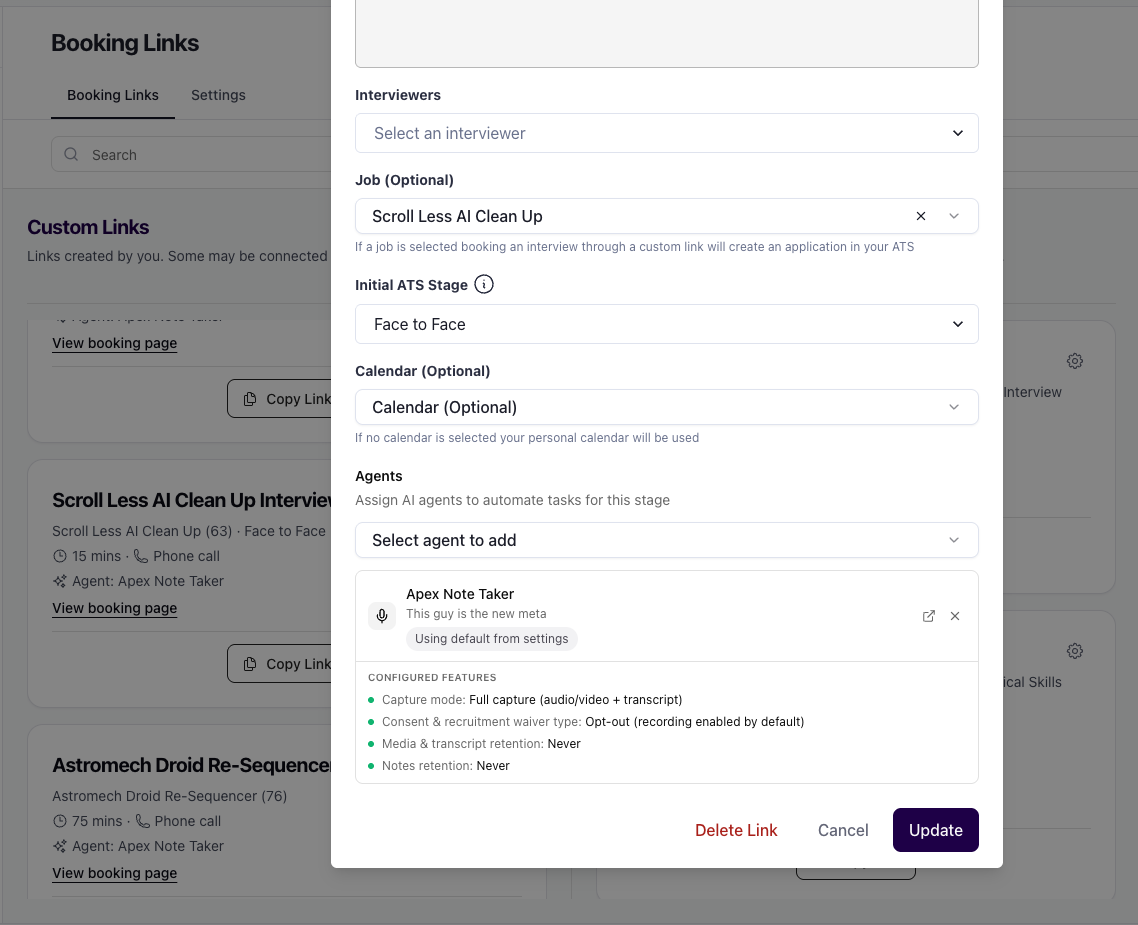
Applying The Interview Companion Agent for Booking Links
Last updated: July 29, 2026
For booking links, the Interview Companion that joins an interview is resolved from your profile defaults, with optional per-link overrides.
Set your defaults
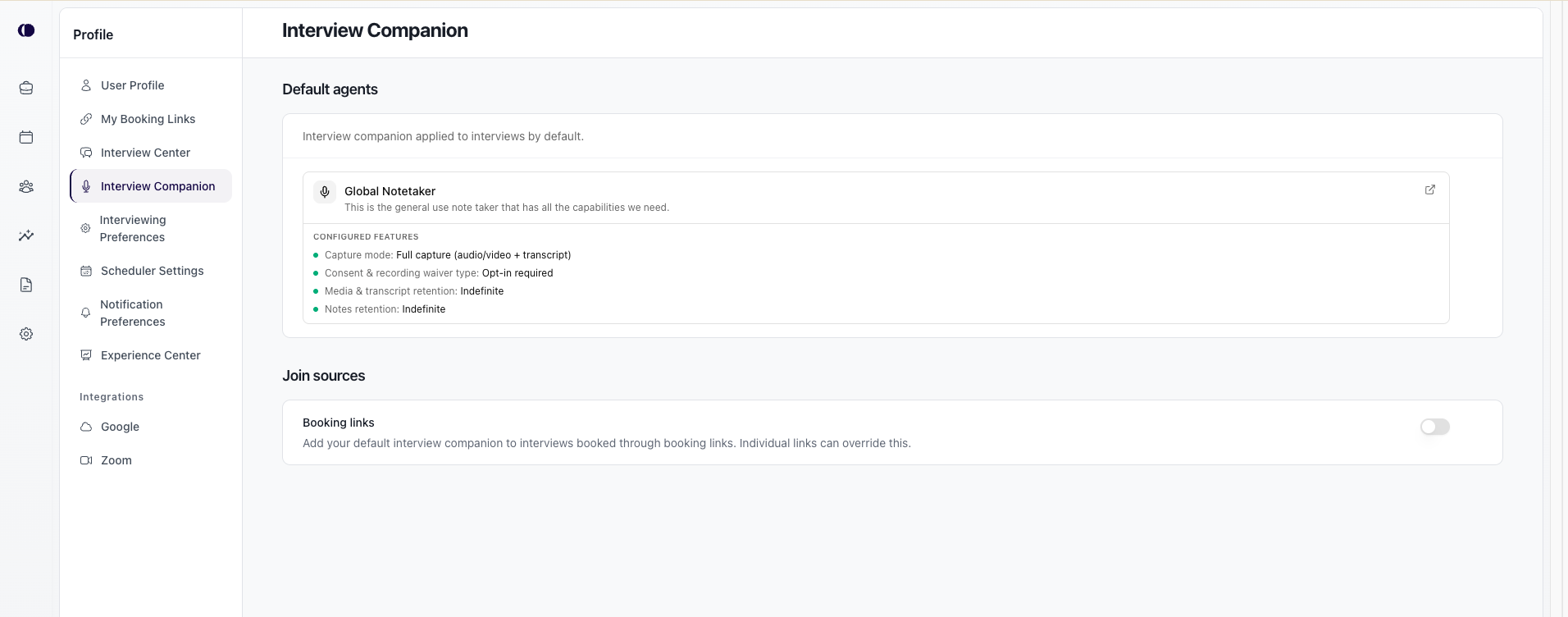
Defaults live under Profile → Interview Companion
Open Profile → Interview Companion.
Under Default agents, choose the Interview Companion agent to use by default.
Under Join sources, turn on Booking links so interviews booked through your booking links use that default.
If your organization uses ATS-matched interviews, you can also enable Interview companion on ATS interviews so the companion is added when those meetings appear on the calendar.
Individual booking links can still override or turn off the default for that link.
Profile → Interview Companion — Default agents and Join sources
Per booking link settings