Hiring Manager Survey Pulse Overview & Setup
Last updated: January 28, 2026
Hiring Manager Survey Pulse is a lightweight, frictionless survey sent to hiring managers once a job is closed or marked as hired. It captures high-signal feedback as part of the natural close of the hiring process.
How It Works
It is triggered based on ATS job status changes
Job closed in the ATS, or
A candidate is marked as hired on a job that supports multiple hires
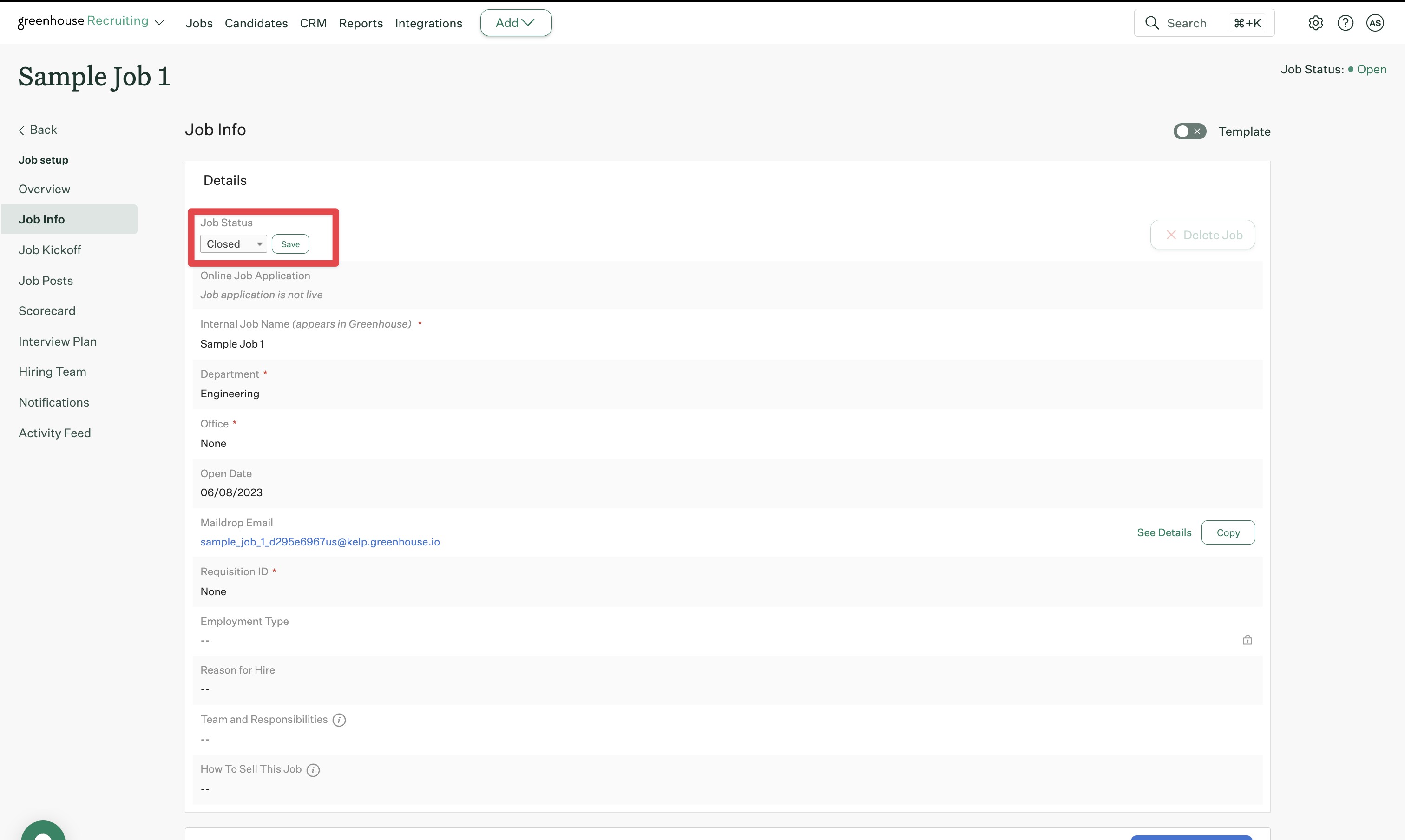
The survey is sent to the Hiring Manager listed on the job. Make sure the correct hiring manager is set in the ATS for the role.
It is delivered through the hiring manager’s configured notification channel:
Slack, or
Email
(A) When delivered on Slack:
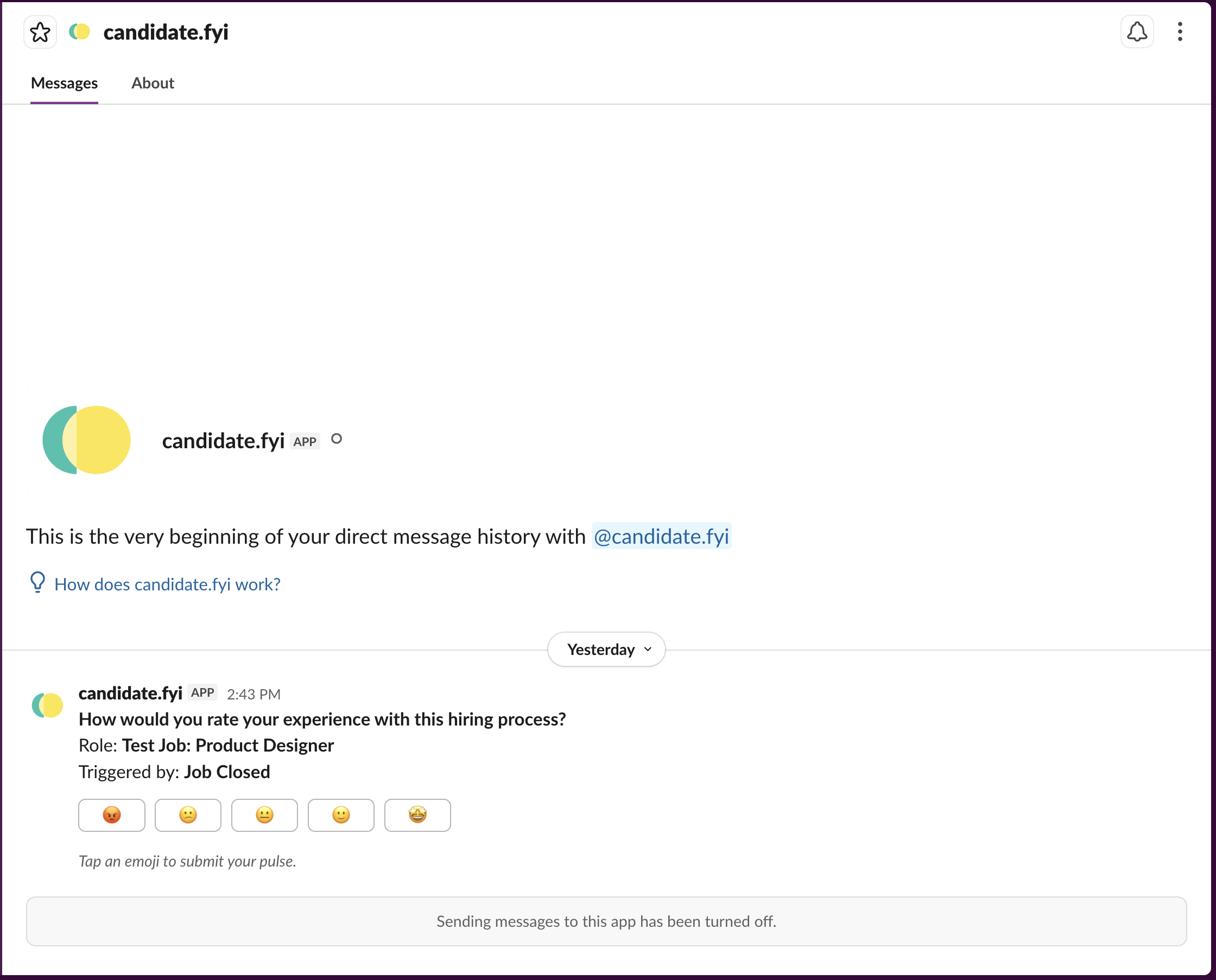
The survey appears as a direct message from candidate.fyi
The message includes the role name and trigger (Job Closed or Candidate Hired)
Hiring managers can tap an emoji to submit their rating
After selecting an emoji: A short modal opens and the hiring manager can add a quick written comment
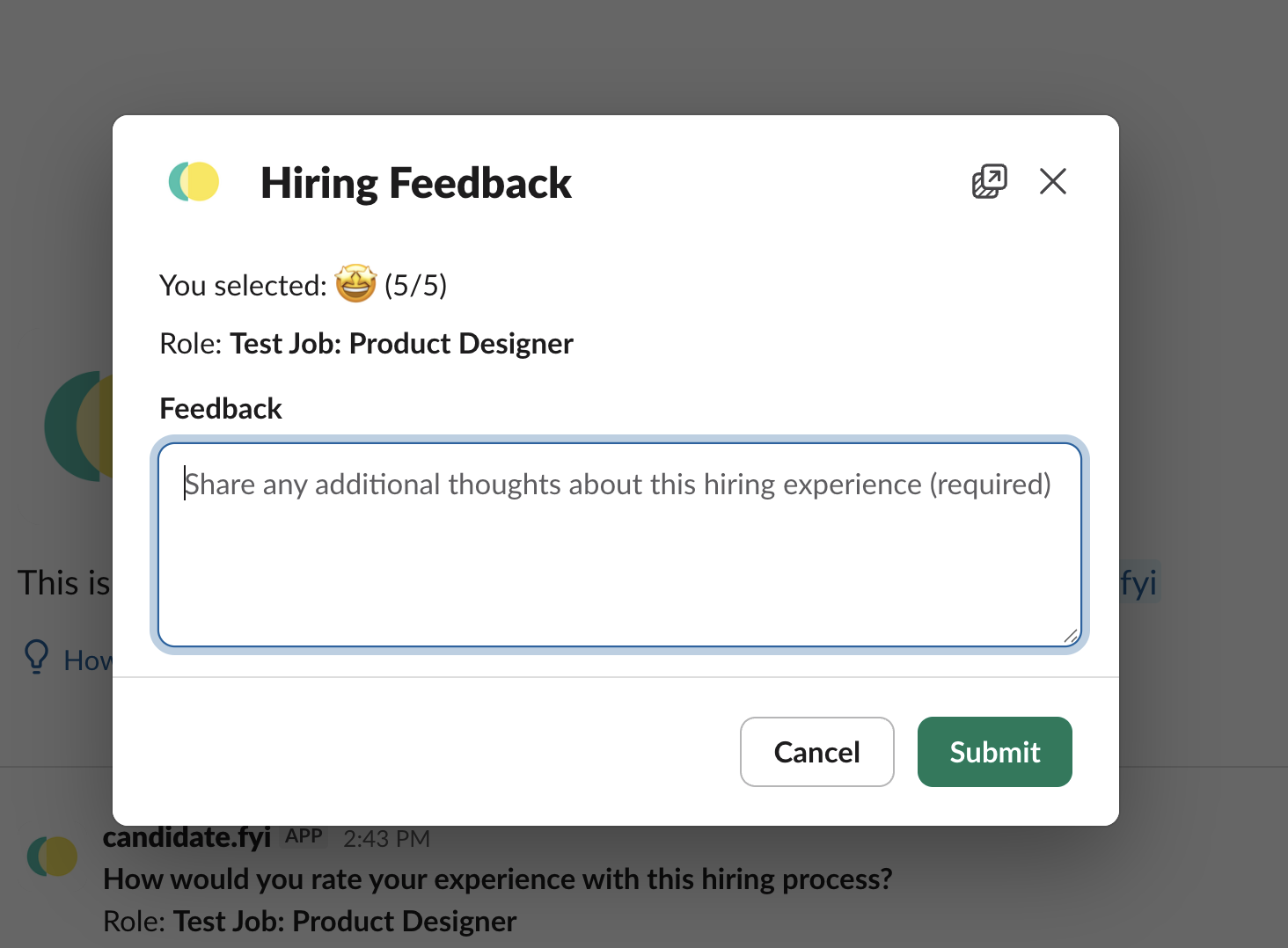
Submit feedback directly from Slack
(B) When delivered on Email:
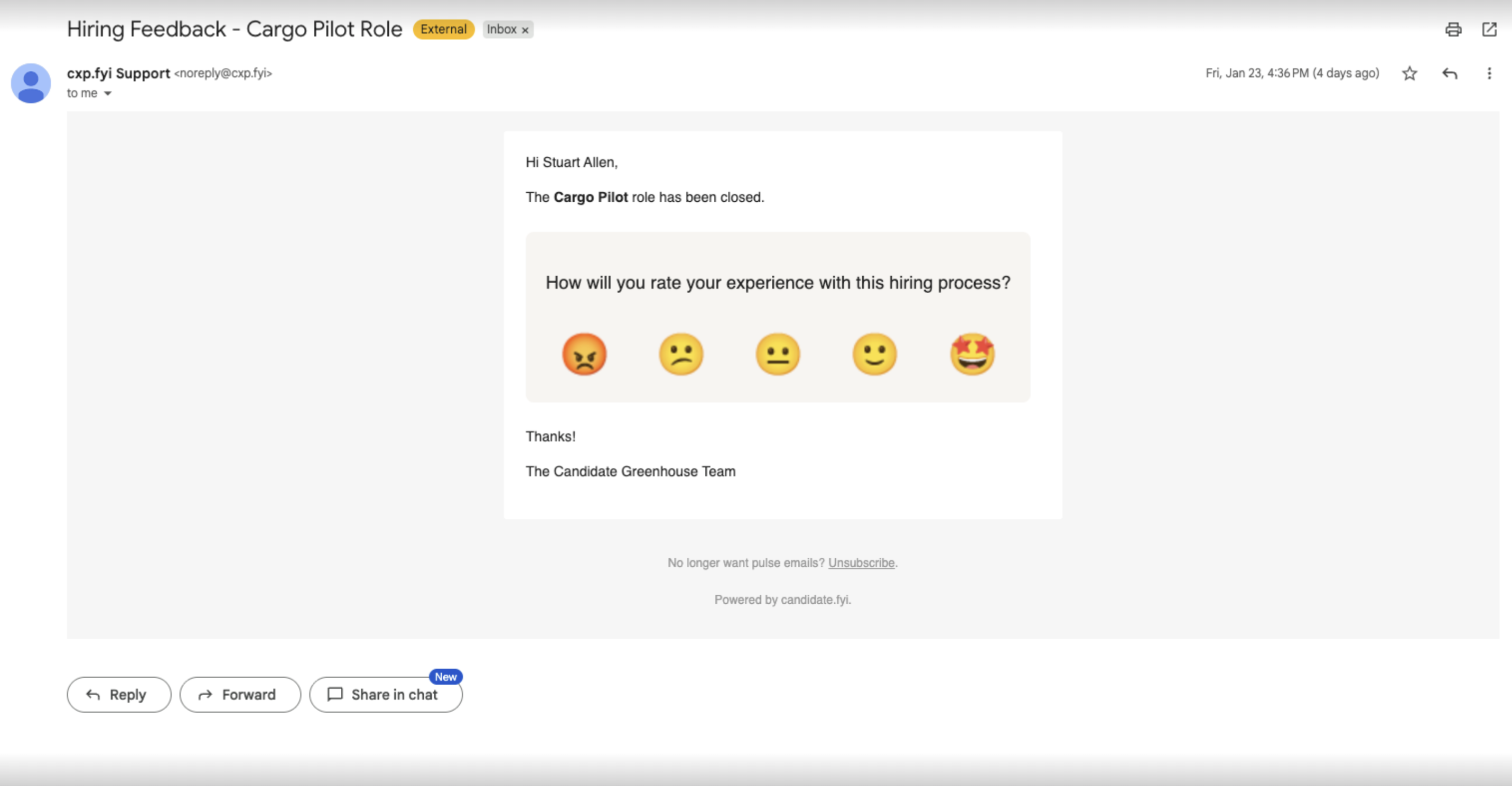
The hiring manager receives an email tied to the completed role
The email includes an emoji-based rating
Selecting a rating opens a simple feedback page
On the feedback page:
The hiring manager confirms their rating
Adds an optional written comment
Submits feedback in one step
Where Responses Go?
All responses are collected in the Experience Center. It is the personal space where hiring managers can view and manage their feedback over time. While Hiring Manager Survey Pulse may be delivered through Slack or email, all feedback ultimately lives in the Experience Center.
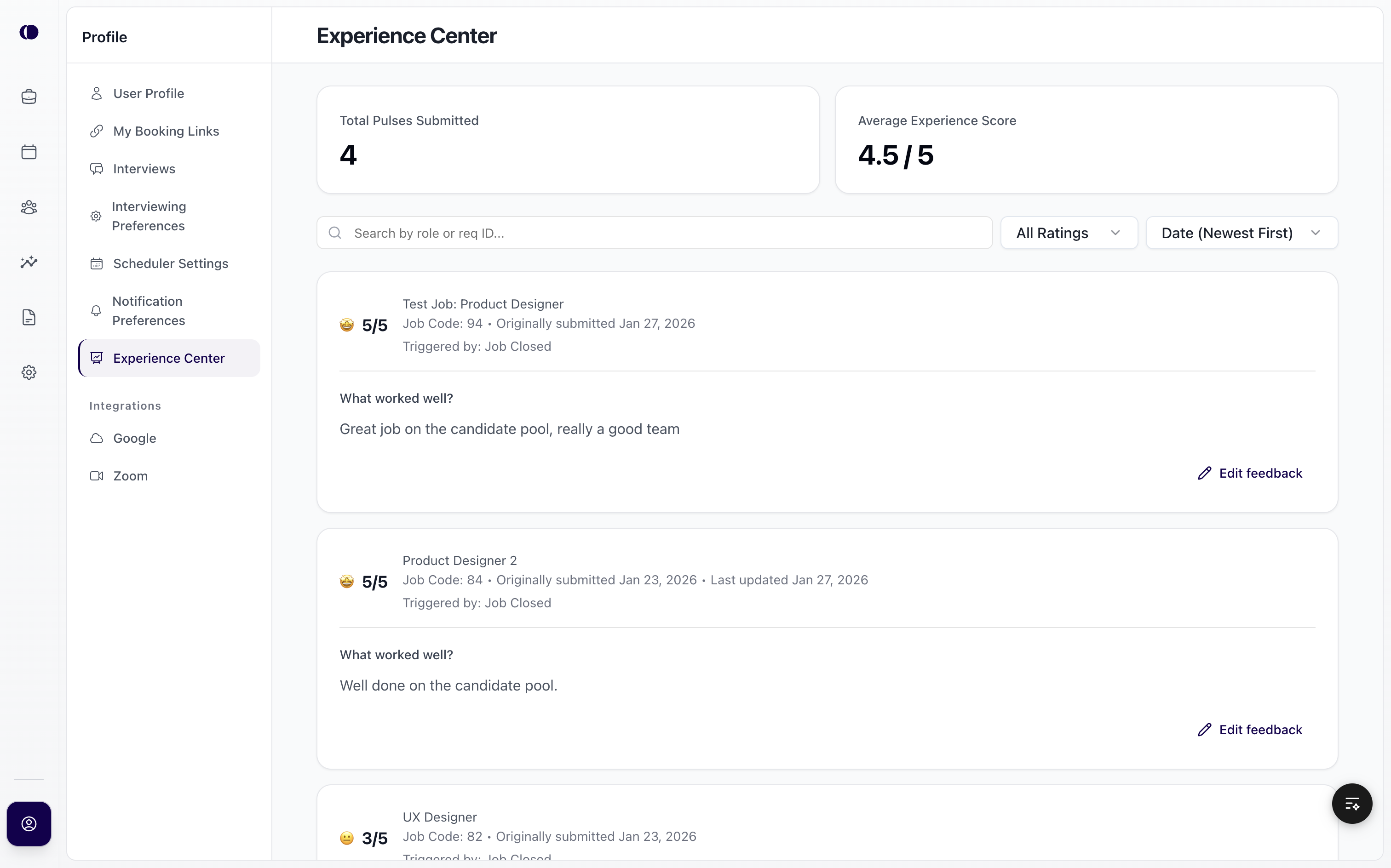
What Hiring Managers Can Do in the Experience Center
From the Experience Center, hiring managers can:
View all survey pulses they’ve submitted
See role-level context, including:
Job title
Job Req/Id
Originally submitted
Last updated
Most recent rating
Edit ratings or written feedback at any time
Review past feedback across multiple roles
Hiring managers can always return to the Experience Center to revisit or update their feedback, even after the initial survey is completed.
How To Enable and Configure?
Hiring Manager Survey Pulse in candidate.fyi is controlled through a combination of organization-level settings and profile-level preferences. These settings define when pulses are sent and how they’re delivered.
Organization-Level Settings
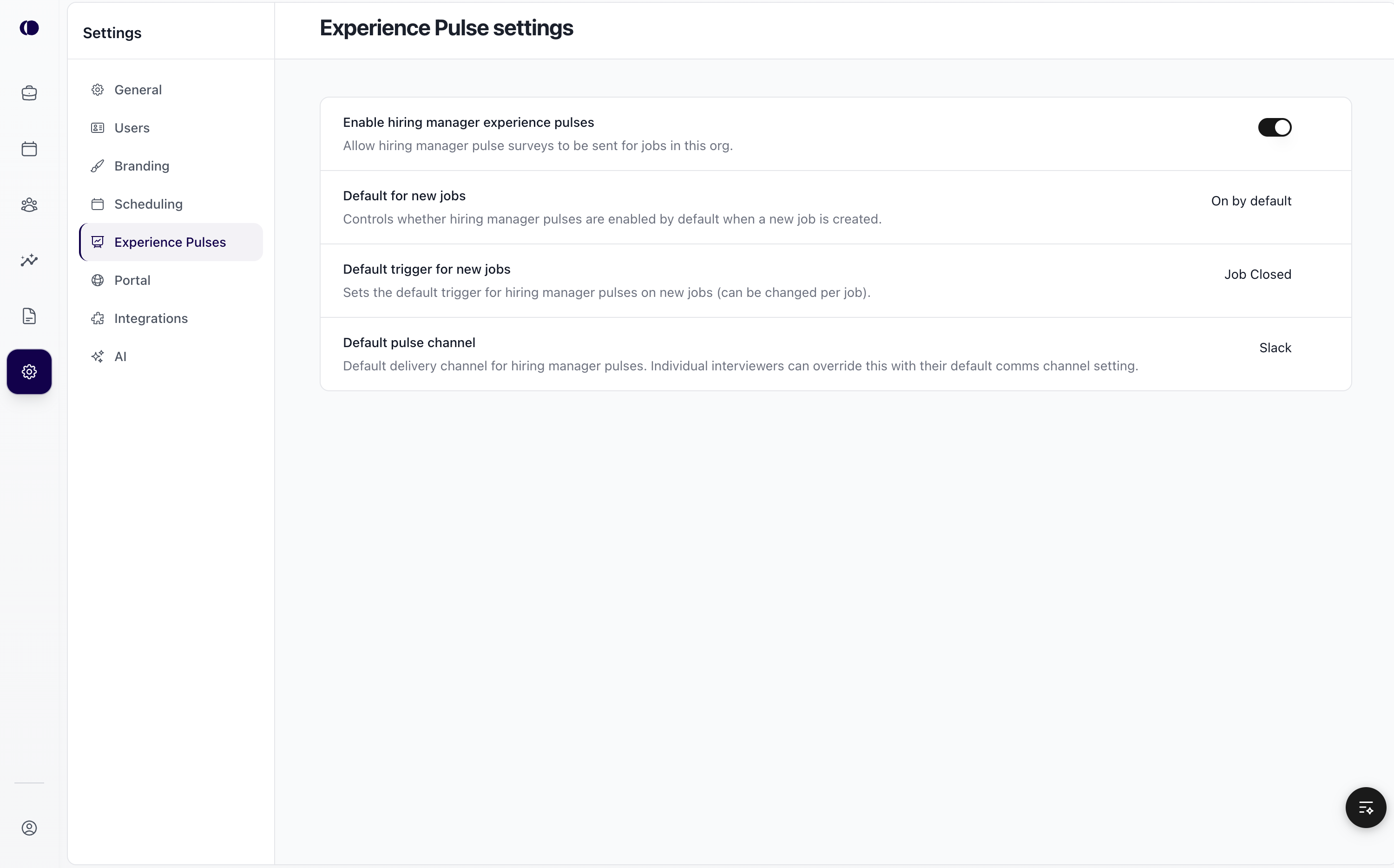
Organization settings determine the default behavior for Hiring Manager Survey Pulse across all jobs.
Enable Hiring Manager Experience Pulses: This is the master switch. When enabled, hiring manager pulses can be sent for jobs in the organization. When disabled, no hiring manager pulses are sent.
Default for New Jobs: Controls whether hiring manager pulses are enabled automatically when a new job is created:
On by default
Off by default
This setting can be overridden at the job level.
Default Trigger for New Jobs: Defines when the pulse is triggered by default:
Job Closed
Candidate Hired
This determines the ATS status change that sends the survey.
Default Pulse Channel: Sets the default delivery channel for hiring manager pulses:
Slack
Email
Individual users can override this at the profile level.
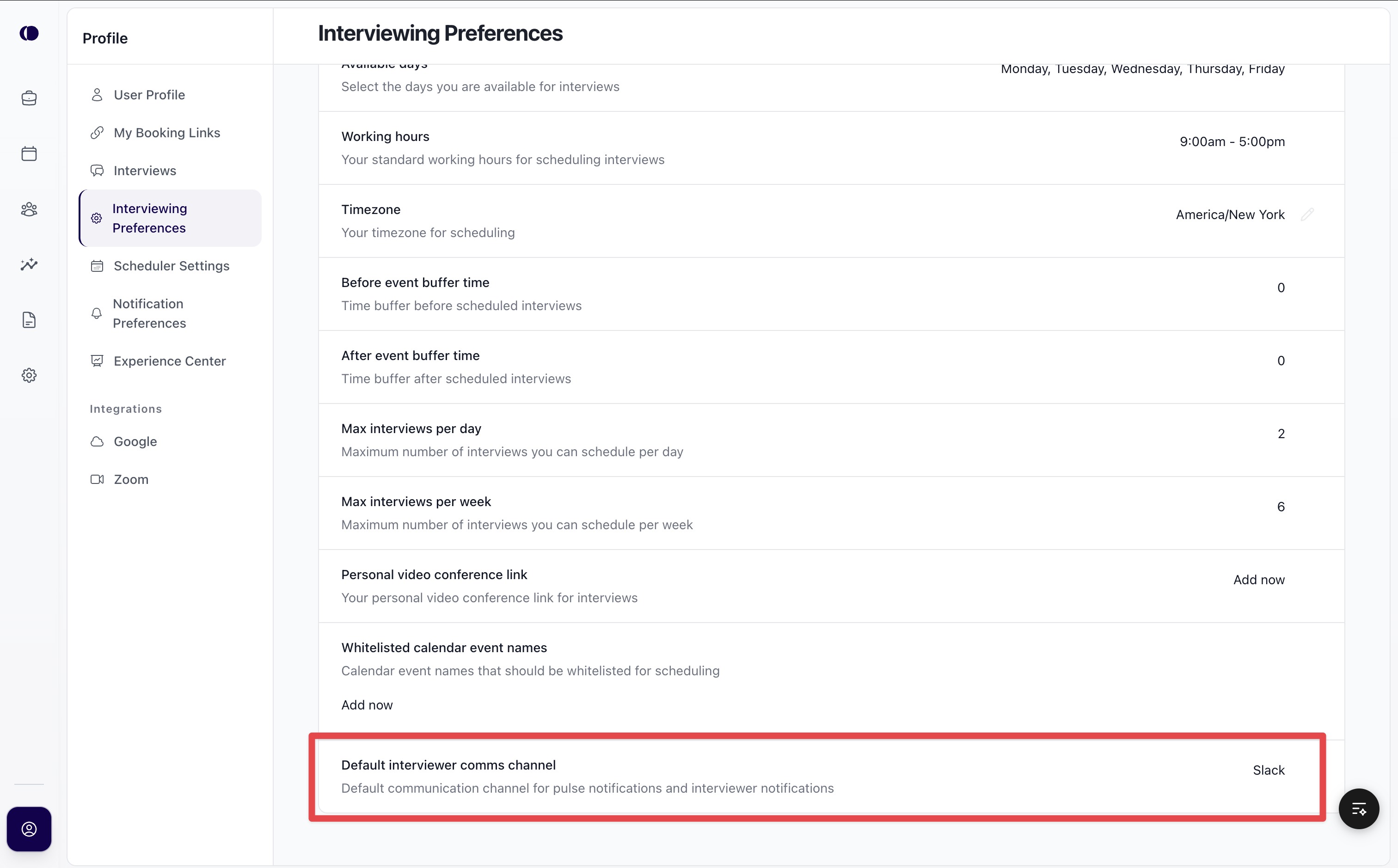
Profile-Level Settings (Hiring Mangers)
Each hiring manager controls how they receive pulses through their profile settings.
Default Communication Channel: Hiring managers can choose their preferred channel for pulse delivery:
Slack
Email
How These Settings Work Together
The organization enables Hiring Manager Survey Pulse and sets defaults.
A job is created and inherits those defaults.
The job reaches completion in the ATS (Job Closed or Candidate Hired).
The pulse is sent to the assigned hiring manager.
Delivery happens through the hiring manager’s preferred channel (Slack or Email).
Responses are stored in the Experience Center and reflected in Pulse Insights.
Reminders
The pulses also include automatic reminders to encourage timely feedback.
If a hiring manager does not respond to the initial pulse, a reminder is sent 3 days after the first delivery.
Reminders are delivered through the same channel as the original pulse.
Only active (non-expired) pulses receive reminders.
Pulse Expiration
Each pulse has a defined expiration window.
Pulses expire 2 weeks after delivery.
Once expired, the pulse can no longer be submitted.