Integrations: HackerRank
Last updated: September 23, 2026
Integrating HackerRank into your Candidate.fyi experience enhances the technical interview process by allowing you to seamlessly incorporate live coding sessions directly into your scheduling workflow. This guide provides step-by-step instructions on how to set up the HackerRank integration within your Candidate.fyi platform.
Prerequisites
Before starting the integration process, ensure that you have:
Administrative access to your Candidate.fyi account.
A valid HackerRank API key. If you do not have one, please obtain it from your HackerRank account.
Integration Steps
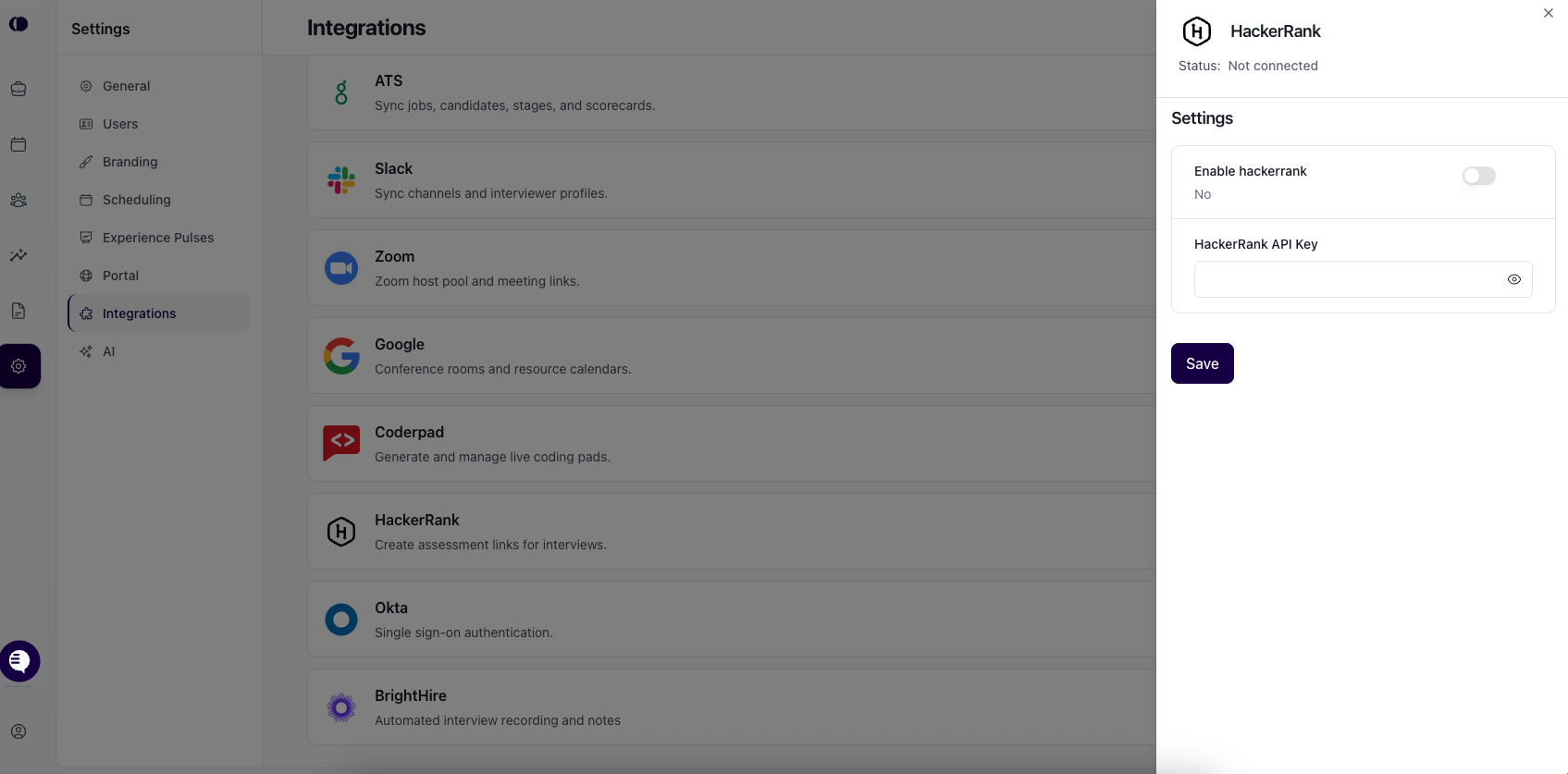
1. Access Global Settings
Log in to your Candidate.fyi account and navigate to the Global Settings.
2. Navigate to Integrations
Within the Global Settings, look for a section or tab labeled Integrations. Select this to access the integrations page.
If you do not see the HackerRank integration listed, please reach out to your candidate.fyi contact. The integration may need to be enabled for your account by our support team.
3. Configure HackerRank Integration
Once you have access to the HackerRank integration settings, follow these steps:
Enter your HackerRank API Key: Locate the input field for the HackerRank API key and enter your key. This key links your candidate.fyi account with your HackerRank account, enabling the integration.
Enable HackerRank Integration: Look for a toggle or switch labeled Enable HackerRank and activate it. This action turns on the integration, allowing you to include HackerRank links in interview scheduling.
Utilizing HackerRank Integration
With the integration set up, you can now include a HackerRank link as a token in the calendar description when setting up rounds or specifically on scheduling requests.
When the "HackerRank Link" token is used, we will automatically create the link for this.