Workday Feedback Forms in candidate.fyi - Post Interview Slack/Email Notifications
Last updated: March 20, 2026
Overview
What this is: post-interview feedback form notifications for interviewers, delivered via Slack (or email), with the option to complete the form in Slack or in the browser.
When you’ll see it
After an interview event has ended.
You’re an interviewer on that event.
Your organization has the feature enabled and uses a feedback form template for that interview.
Slack: what you’ll see

After the interview is completed, a new slack message will be sent from FYI detailing the requisition and candidate.
Completing the form in Slack
Click the "Complete Feedback Form" button
A modal will popup - fill the modal and click submit
The message will update to “Feedback submitted” (or “already submitted” / error).
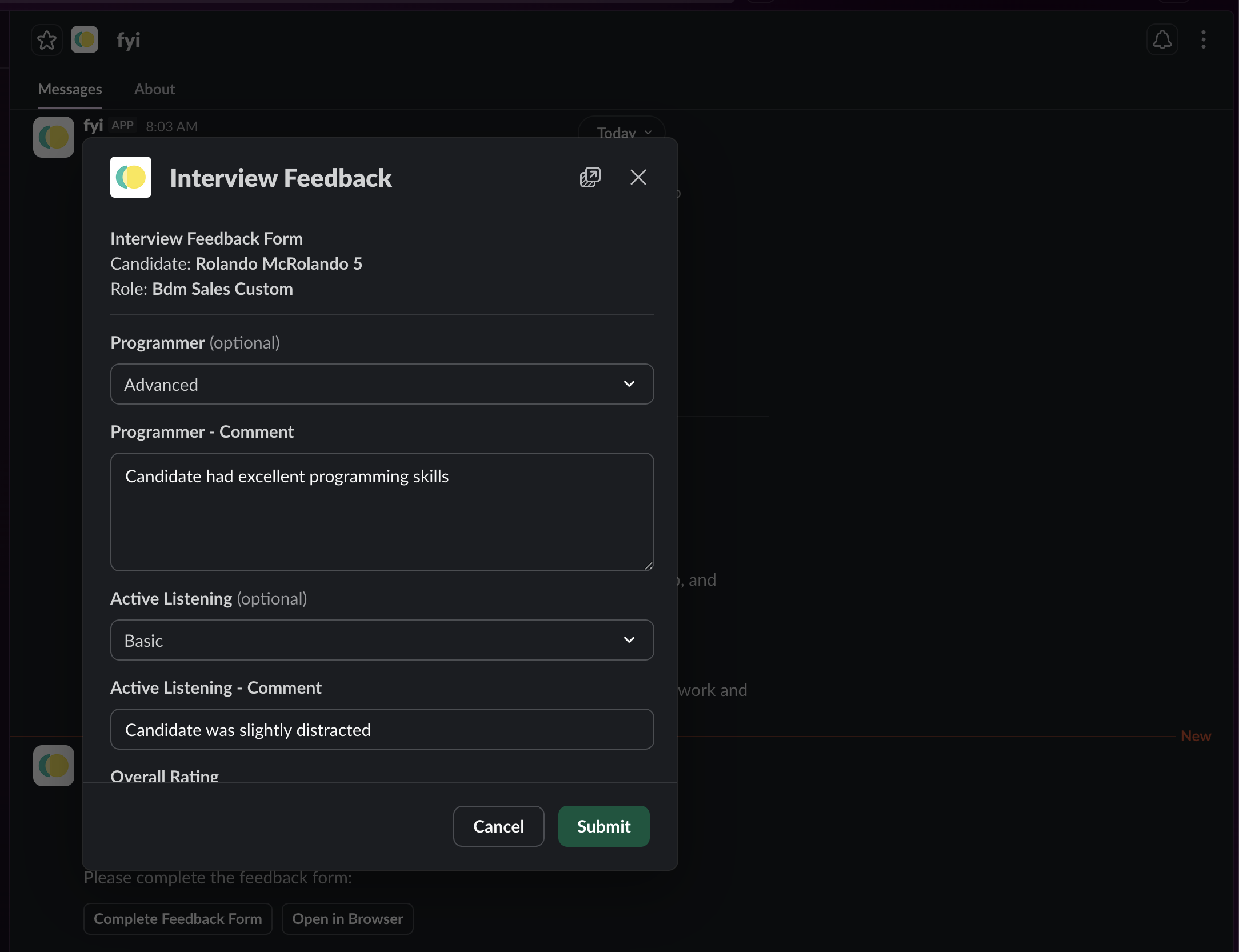

Note: Fields come from your org’s feedback form template (so they may differ).
Email option
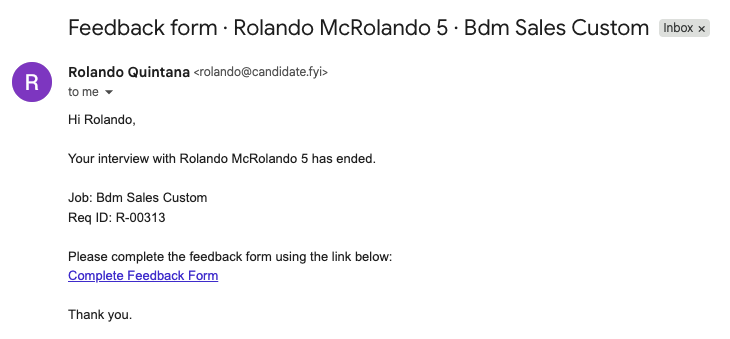
If your comms channel is set to Email instead of Slack, you get an email with the same intent and a “Complete Feedback Form” link to the web app.
In CFYI
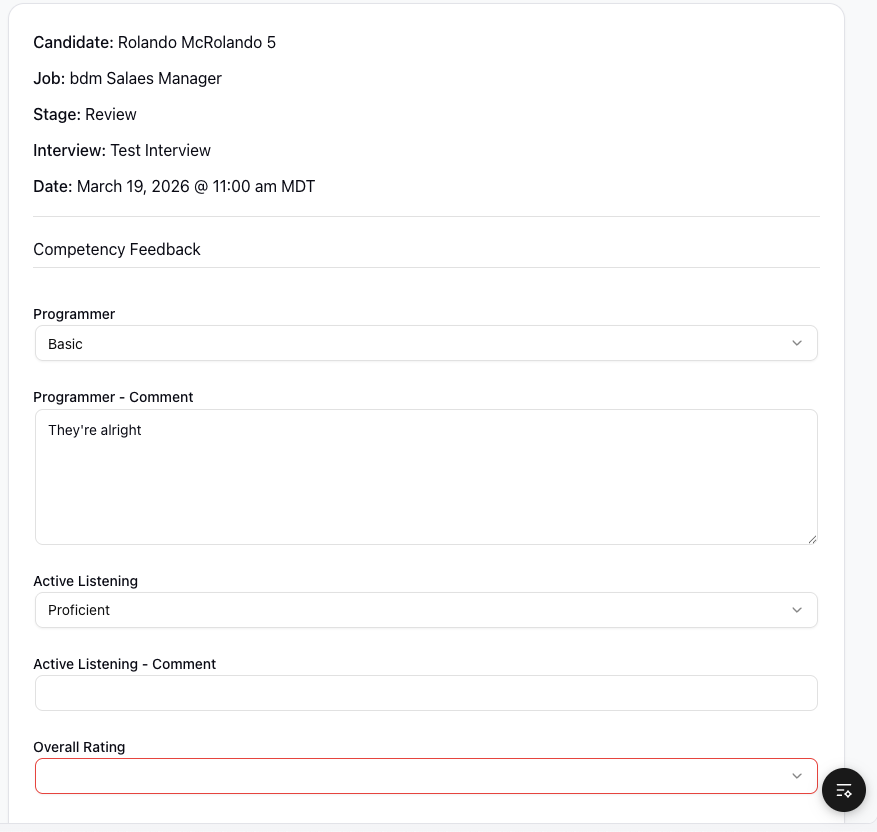
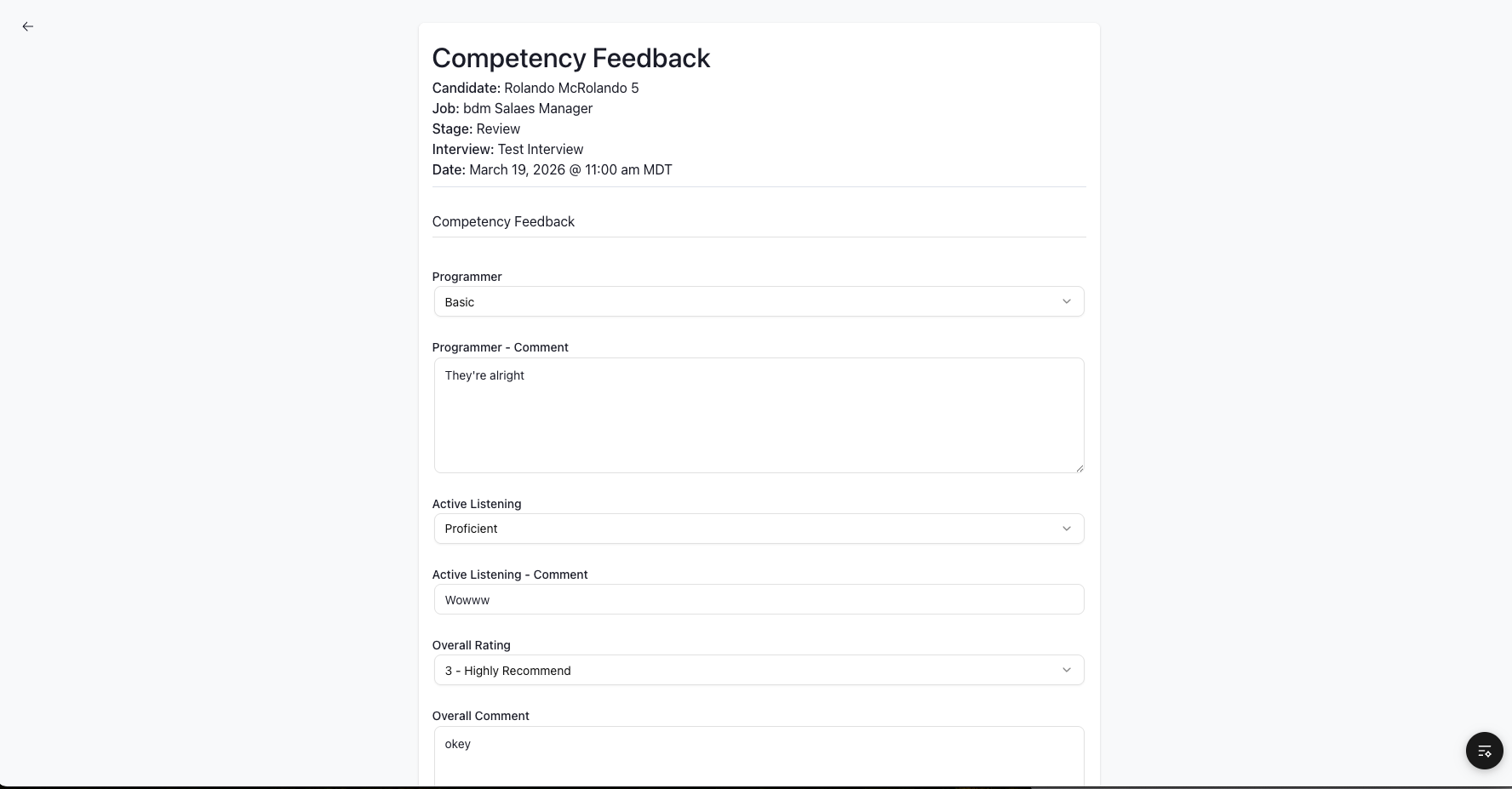
You can always open the feedback form in the browser and submit from there (from the Slack “Open in Browser” button or the link in the email).
Non-approved cfyi member view
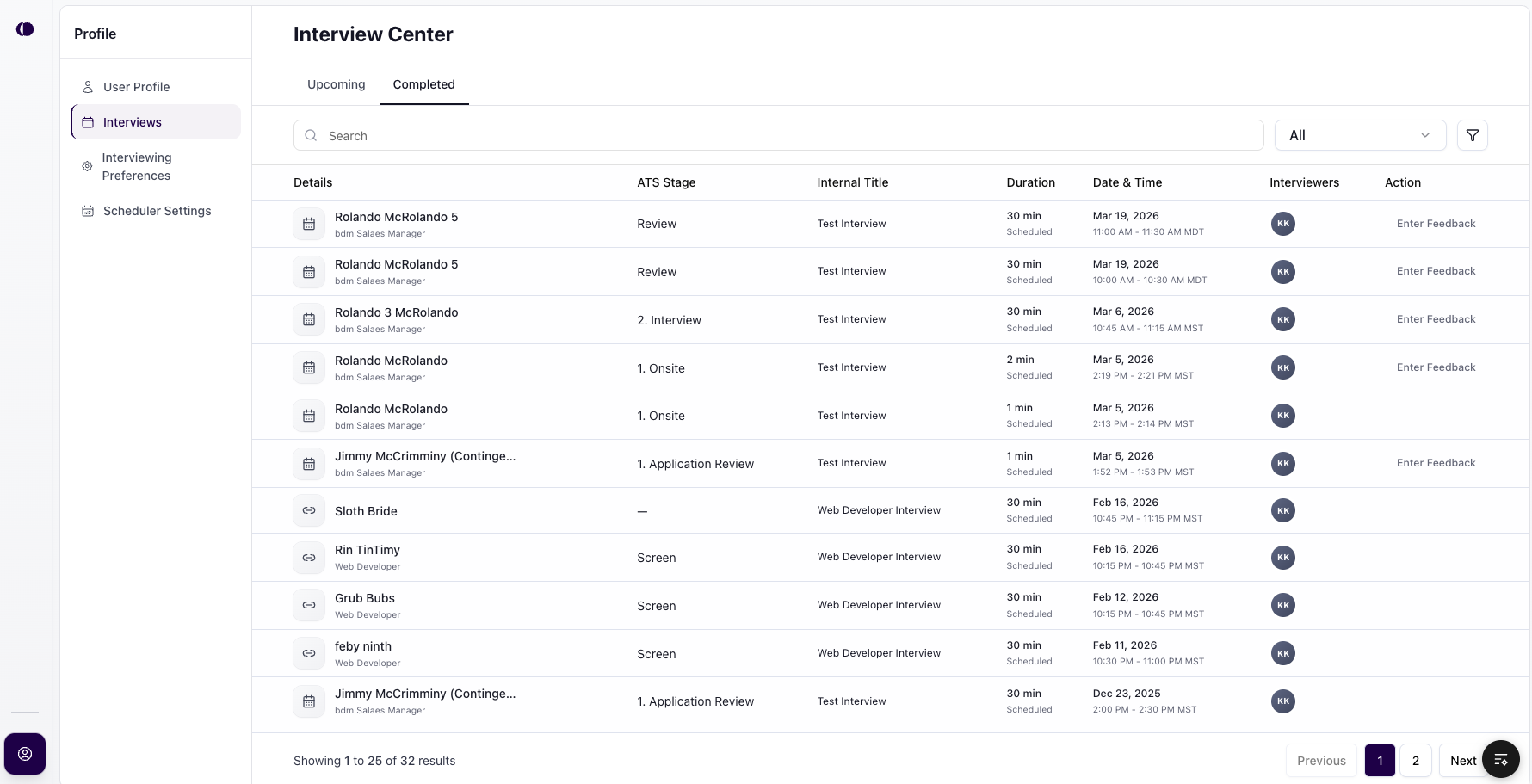
Interviewers without "normal" access to CFYI will get a minimal CFYI interface when interacting with the site as shown below
Interview Feedback Center
Filling Feedback Form
Workday Sync
After submitting via Slack or CFYI, the feedback data will be synced to Workday. Indicators will show if the sync was successful or not.

Note: feedback will not be allowed to be resubmitted if the feedback task was already completed within Workday.