How to Set Up and Manage Training Paths
Last updated: August 4, 2025
Training Paths in candidate.fyi let you build structured shadowing programs for new interviewers, making it easy to track progress, automate graduation, and eliminate manual tracking.
What Are Training Paths?
Training Paths provide a structured approach to interviewer training by:
Defining required shadow and reverse shadow sessions ("classes")
Automatically tracking participation and progress
Graduating interviewers when they’ve completed their training
Assigning post-graduation tags for interview eligibility
Creating a Training Path
Create different paths based on role and/or interview type. Common examples include:
Engineering Interviews by Level (e.g., SWE1, SWE2)
Product Manager Interviews
Steps to Create a Path:
Navigate to Interviewers > Training
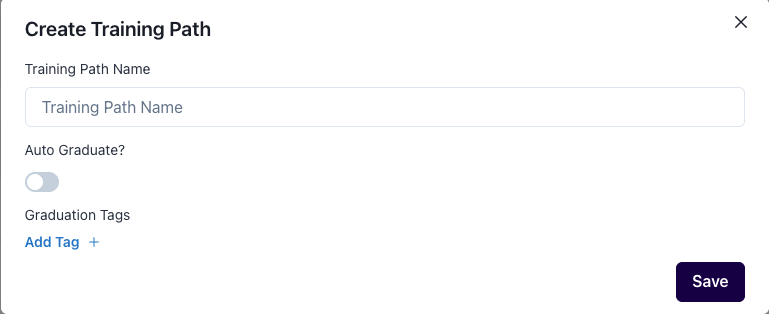
Click New
Name the path (e.g., “SWE1”)
Set optional auto-graduation rules
This setting automatically graduates trainees who have completed their required interviews, and places them in the appropriate interviewer pools (tags).
Assign graduation tags that will be automatically applied once training is complete
Defining Path Classes
Each path consists of training "classes" (e.g., Shadow 1, Reverse Shadow).
To configure:
Click Modify Classes
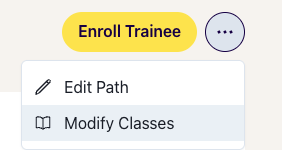
Add required sessions (e.g., “Shadow 1”, “Reverse Shadow”)
Specify how many of each are needed for graduation
When scheduling, trainees will be suggested for relevant classes until they've completed the required number.
You can also assign extra sessions ("+" sign) after graduation for additional practice.
Enrolling and Tracking Trainees
Enroll trainees to each path

Track participation in real-time with the progress bar
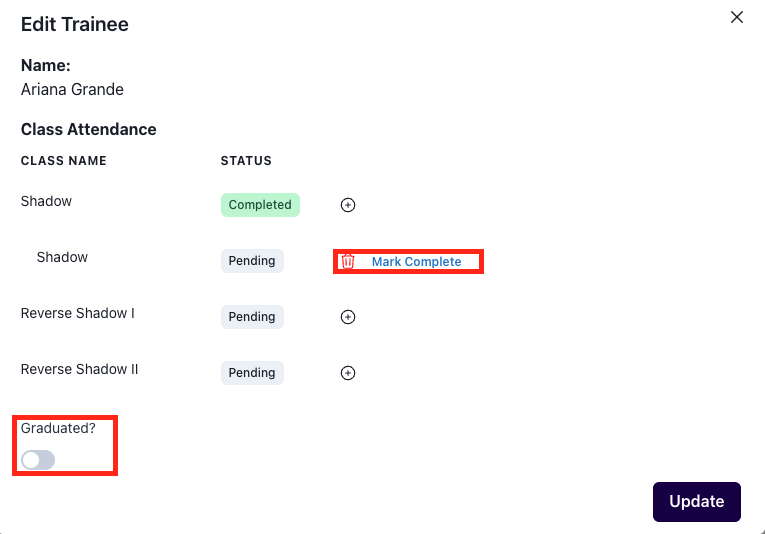
Manually mark classes as complete or graduate trainees if needed
Scheduling with Training Paths
Round and Interview Settings
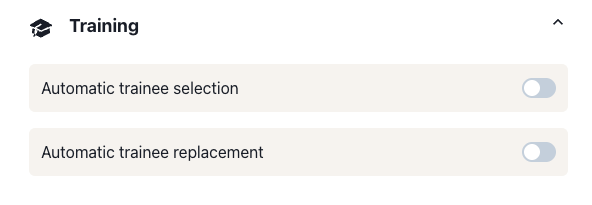
You can set trainees to be automatically selected, as well as replaced on decline, on the round level:
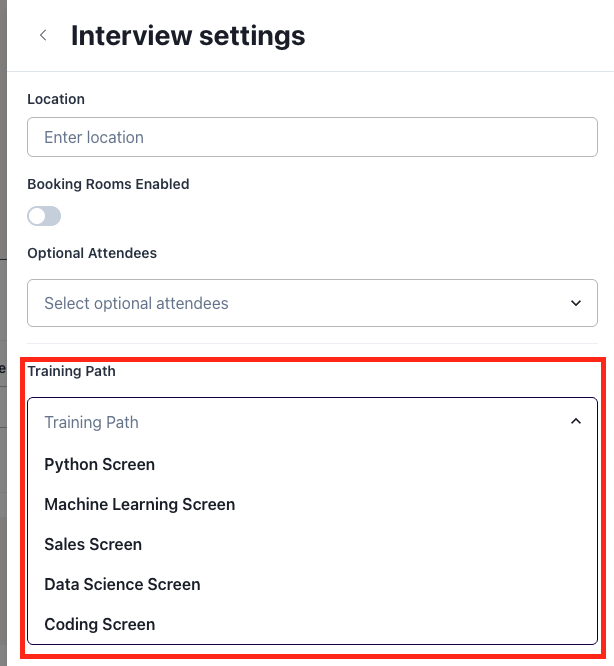
On the Interview level, you can select the associated training path:
Scheduling
Trainees appear as options (graduate symbol) when scheduling relevant interviews
Availability of both the interviewer and trainee is considered for suggested slots
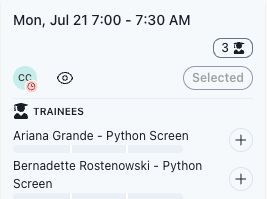
Scheduling Directly from the Trainees Tab
You can manually assign a trainee from the trainees tab
Note: Manual scheduling does not filter by trainee availability - confirm before assigning
Graduation and Tags
To manually graduate a trainee once they complete all required sessions:
Navigate to their training path
Select the three dots next to their name and click Edit
Toggle on the graduate button
The system will automatically assign the configured graduation tags and they’ll now be eligible to be scheduled as a full interviewer!
Insights and Reporting
View overall training progress under Insights > Training Progress
It shows weekly breakdowns by class type and number of completions
Additional Notes
Trainees do not currently receive feedback forms
For more help with Training Paths, reach out to support at support@candidate.fyi.