Global Scheduling Settings: Cancel + Reschedule Reasons
Last updated: August 11, 2026
Change Reasons allow teams to capture why interviews are rescheduled or canceled, ensuring intent is recorded consistently and reflected in reporting and insights.
How can you configure cancel and reschedule change reasons?
Users can manage reasons from:
Settings → Scheduling → Cancel and Reschedule Reasons
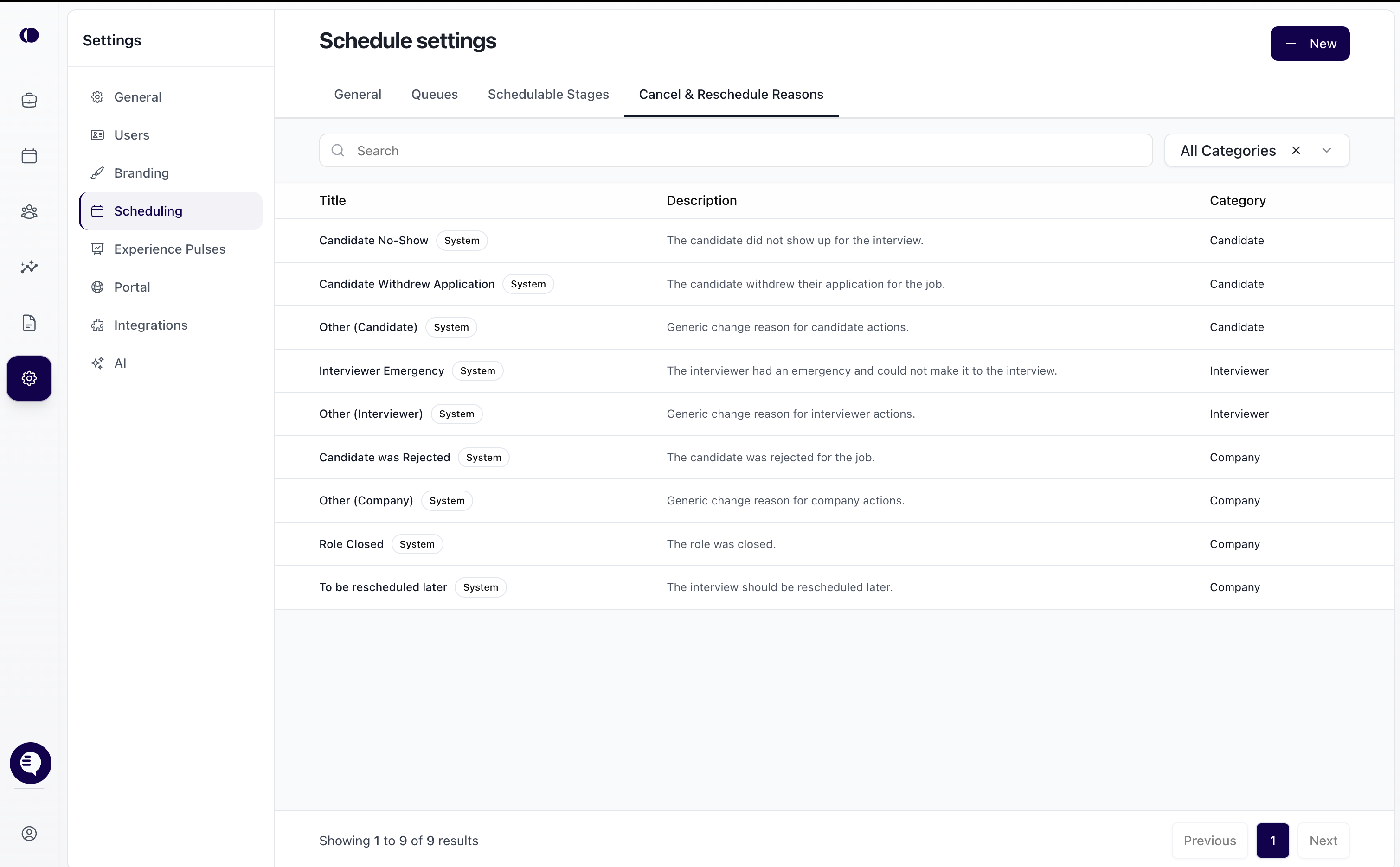
There are two types of reasons available.
System Reasons
Provided by default
Cover common scenarios across Candidate, Interviewer, and Company categories
Cannot be edited or removed
Custom Reasons
Created by your team to reflect internal workflows or specific scenarios
Fully configurable
How to add a custom reason
Click New
Enter a title
(Optional) Add a description
Select a category
Candidate
Interviewer
Company
Click Save
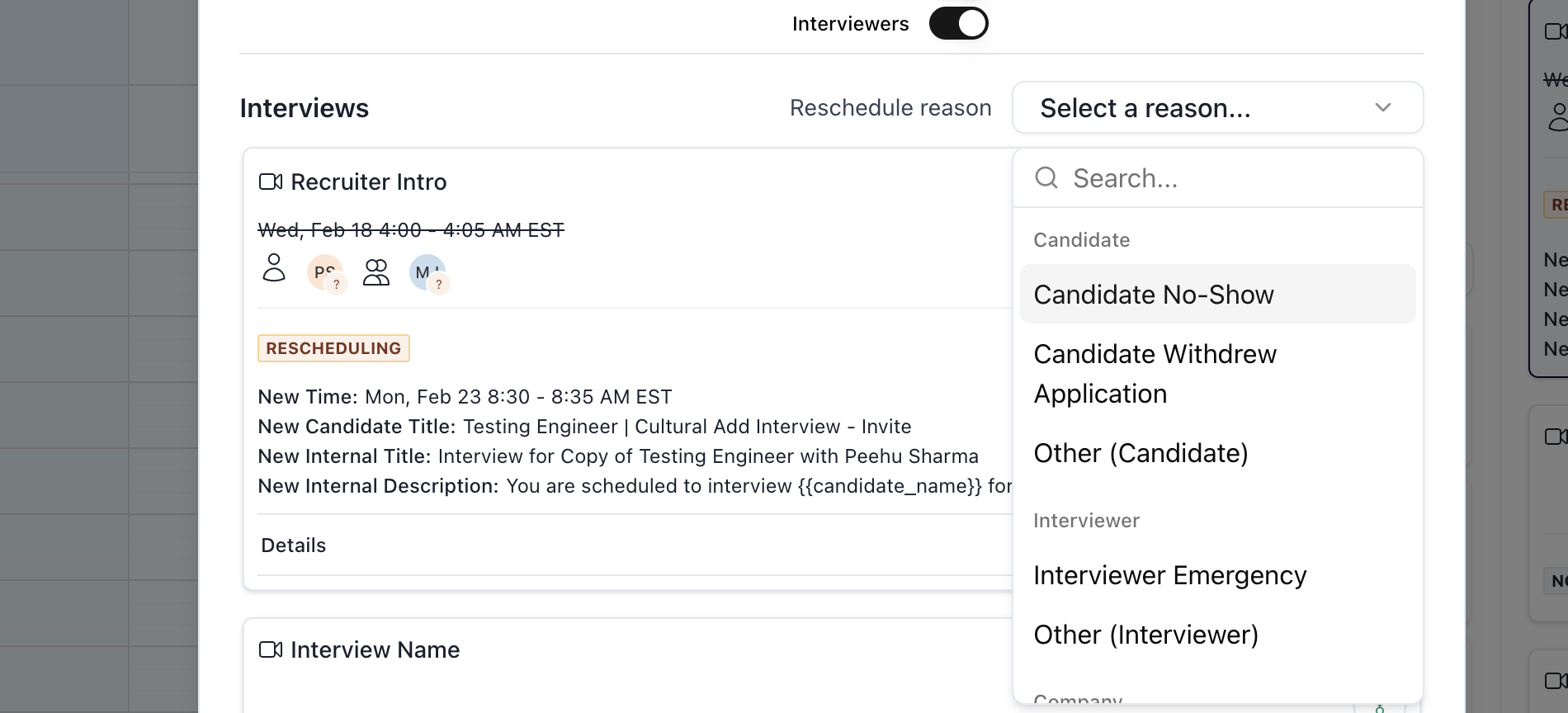
Once created, custom reasons automatically appear in the Reschedule reason dropdown when rescheduling interview.
Selecting Change Reasons During Scheduling
Change Reasons are selected at the time an interview is rescheduled.
How it works
A reason is selected directly in the rescheduling flow
The selected reason is saved at the interview level
Reasons are pulled from the configuration set in Scheduling settings
This ensures the context behind each reschedule is captured at the moment the action occurs.
Interview Activity and History
Every reschedule action is logged with its associated change reason.
Where this appears
Interview activity history
This provides a clear audit trail showing:
What changed
When it changed
Why it changed
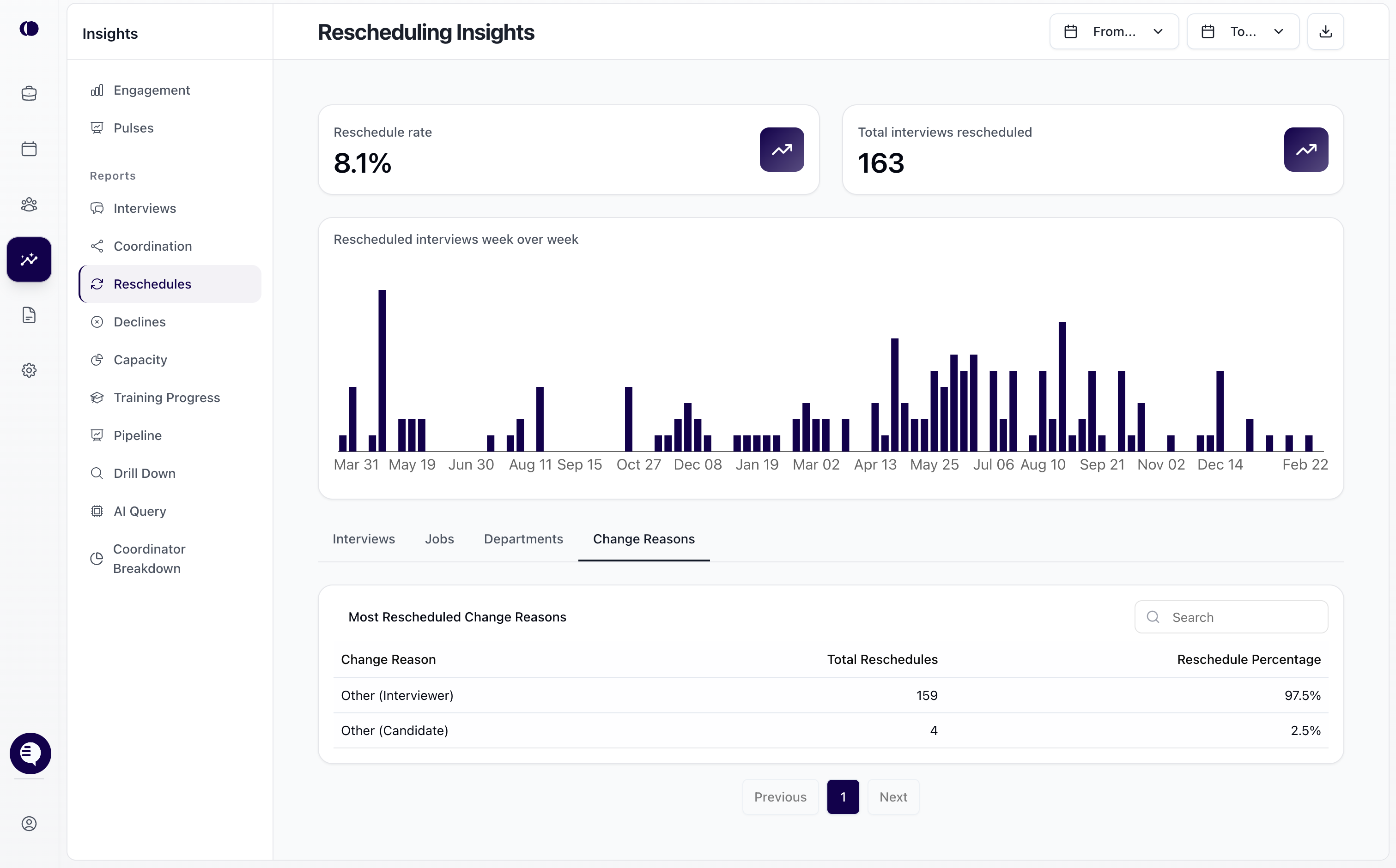
Rescheduling insights
The Rescheduling Insights section helps teams understand reschedule patterns and root causes.
Change Reasons tab:
View all reschedule reasons grouped together
See total reschedules per reason
See percentage breakdown by reason