Canceling and Rescheduling Interviews
Last updated: February 23, 2026
Scheduling actions are updated to capture user intent clearly. There are three primary interview-level actions:
Reschedule now
Cancel and reschedule later
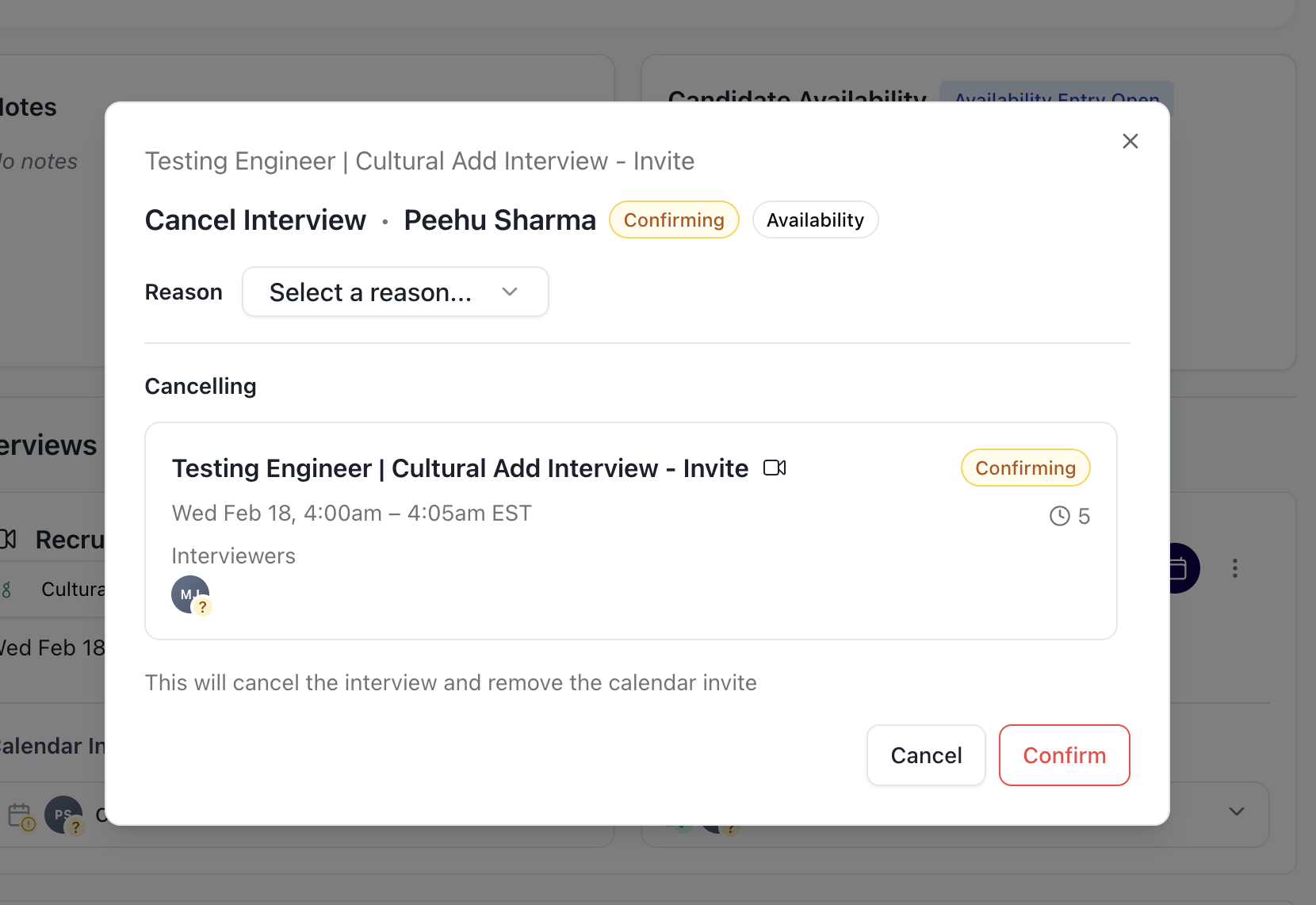
Cancel interview
Reschedule now | Use when the new date and time are already known. | Updates the current invite, opens scheduling flow, sends updated invites once booked |
Cancel and reschedule later | Use when the interview needs to be rescheduled but availability is not yet known. | Cancels invite, keeps interview open, marks it as requiring rebooking |
Cancel interview | Use when the interview is no longer moving forward. | Cancels invite and moves interview to canceled state |
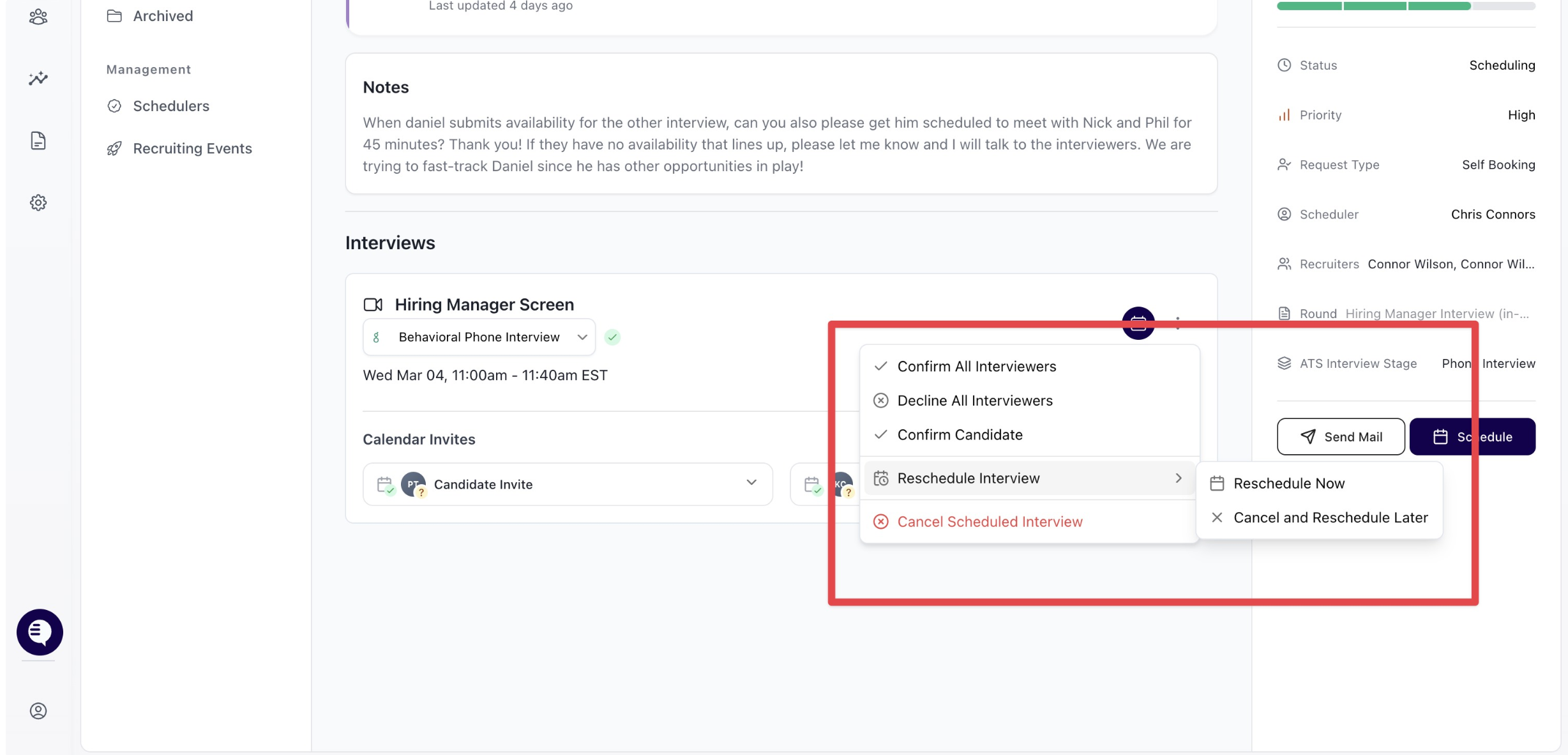
Reschedule now
Use Reschedule now when the new date and time are already known.
What happens:
The existing calendar invite is updated
You are taken directly into the scheduling flow
A reschedule reason is selected
Updated calendar invites are sent once the interview(s) are booked
The reschedule reason is logged for reporting
Best used when availability is aligned and the interview can be rebooked immediately.
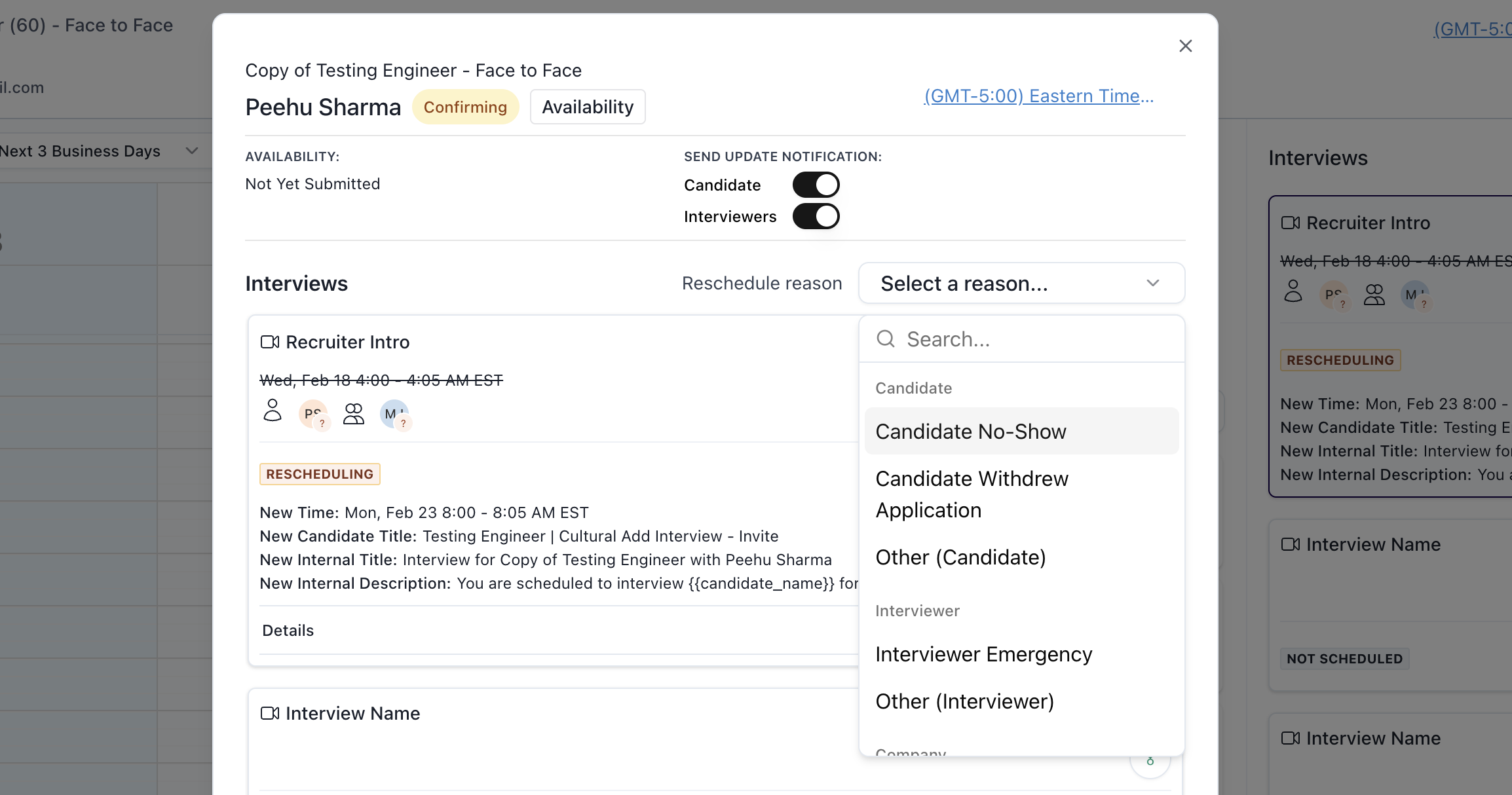
Cancel and reschedule later
Use Cancel and reschedule later when the interview needs to move but availability is not yet known.
What happens:
The existing calendar invite is canceled
The interview moves into a Requires rescheduling state
Ownership remains with the scheduler
No new calendar invite is sent until rescheduled
The interview continues to appear in the Requires action queue
Best used when the interview should stay actively tracked for follow-up.
Cancel interview
Use Cancel interview when the interview is intentionally not happening and does not require follow-up.
What happens:
The calendar invite is canceled
The interview moves into a Canceled state
The interview does not appear in the Requires action queue
The interview does not count toward scheduling or rescheduling metrics
Canceling does not technically block creating a new interview later, but the system will not automatically surface the canceled interview for rebooking. If rescheduling is intended, a reschedule action should be used instead of cancel.
Actions can be taken at both the interview level and the request level
Interview-level actions:
Apply to a single interview
Useful when only one interview in a multi-interview request needs to change
Reschedule reasons are captured per interview
Request-level actions:
Apply to all interviews in the request
Useful when the entire request needs to be canceled or rescheduled
Ensures consistent state and intent across interviews