What are email templates?
Last updated: October 26, 2026
Email templates keep candidate messaging consistent and save time during scheduling. You define subject lines, body copy, optional styling, and dynamic tokens once, then reuse templates when you email candidates or attach templates to scheduling workflows.
Users with Editor access or above can create and manage organization email templates under Templates & libraries.
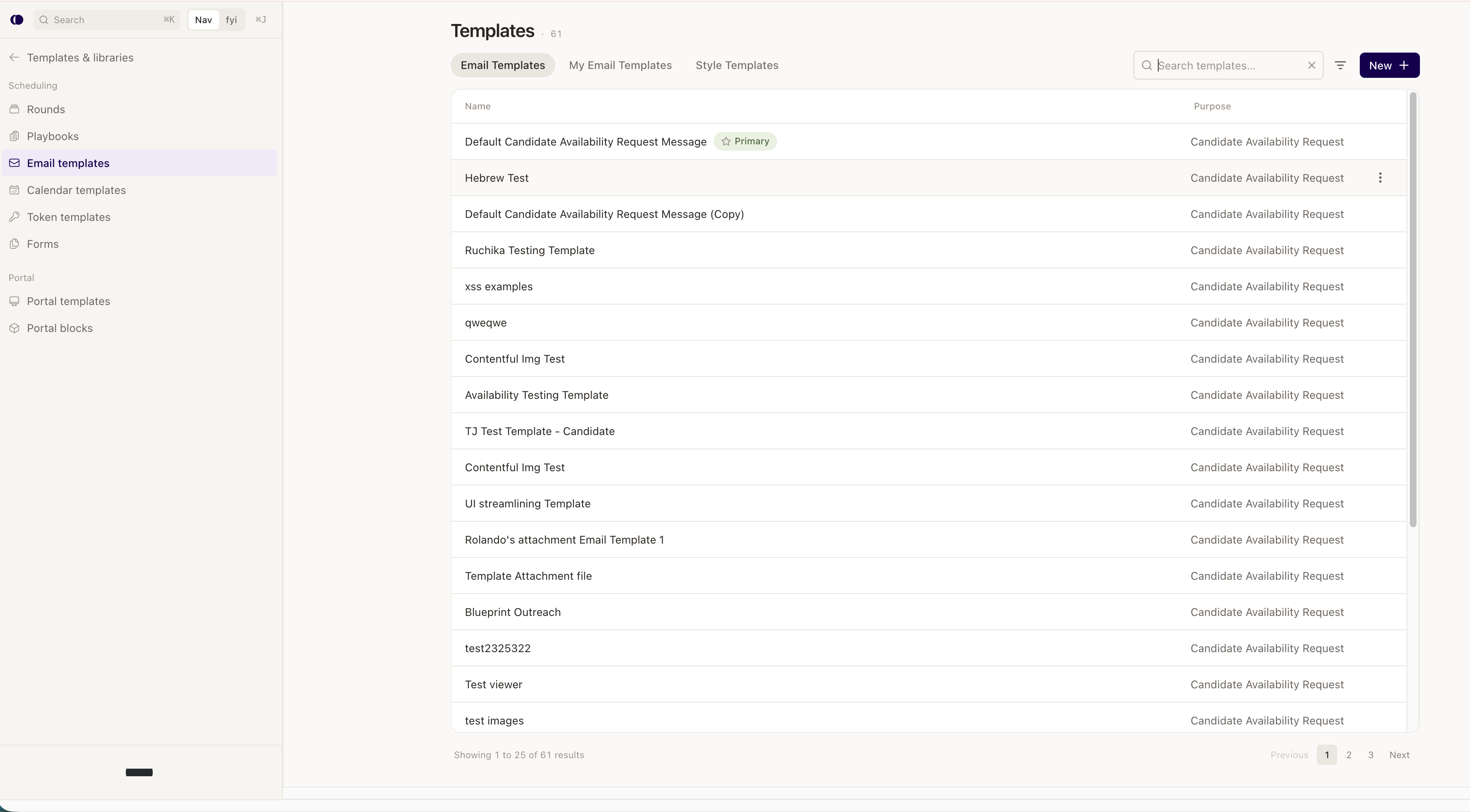
Open email templates
Sign in to candidate.fyi.
In the left sidebar, click Templates & libraries.
Click Email templates.
Use the tabs at the top:
Email Templates — organization-wide templates your team shares.
My Email Templates — personal templates only you can edit (others may see them when selected in messaging or settings).
Style Templates — appears when style templates are enabled for your organization. HTML wrappers for branding (headers, logos, colors, footers). Manage these on this tab, then optionally attach a style to an email template.
Use Search and the Purpose filter (All purposes, or a specific purpose) to find templates in the list.