Adding Users to your Organization
Last updated: October 26, 2026
By default, candidate.fyi pulls in all of the users found in your ATS. This does not mean they immediately have access to candidate.fyi.
In order to give access to individual users:
Navigate to the Company tab in the left navigation and then click on Users
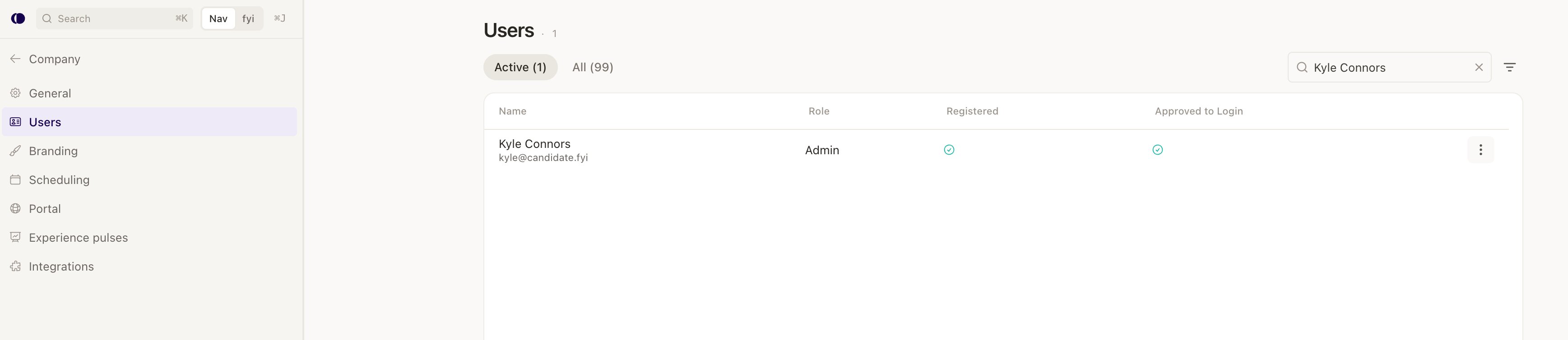
Search for the user you'd like to give access to
Click on the three dots to the right of the user's row then select Edit
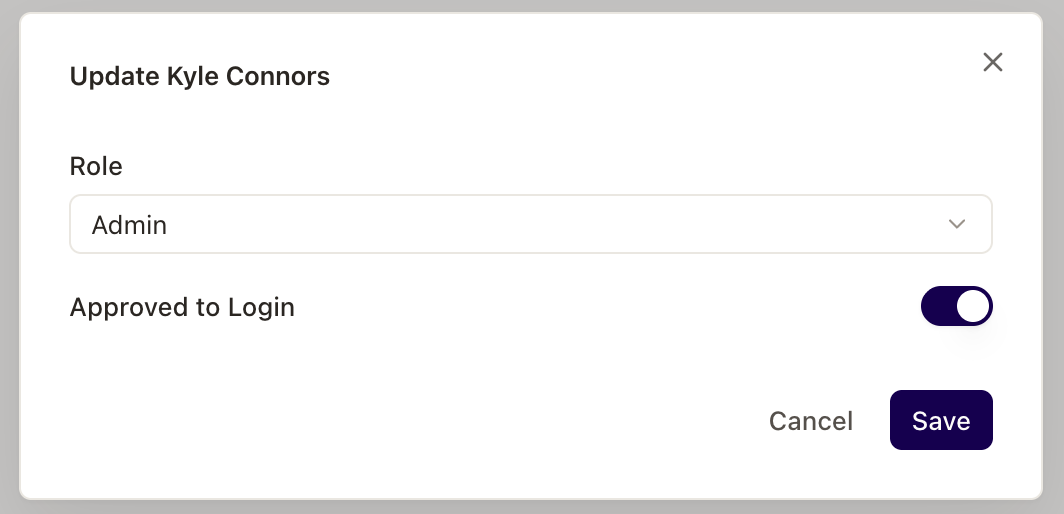
In the popup that appears select the role and toggle on Approved to Login (this setting is what grants users access to the platform)
Send https://app.candidate.fyi/ to the new user and they'll be able to login
Want all synced users approved automatically?
If you’d rather not manage login access user by user, we can turn on Approved to Login for everyone synced from your ATS. Just reach out to support@candidate.fyi and we’ll set it up for you.