Navigating the admin interface
Last updated: October 26, 2026
The admin interface of candidate.fyi is designed to provide a comprehensive and intuitive user experience for managing candidate.fyi. The interface is segmented into distinct areas in the left sidebar. Here's a high-level guide on navigating these sections:
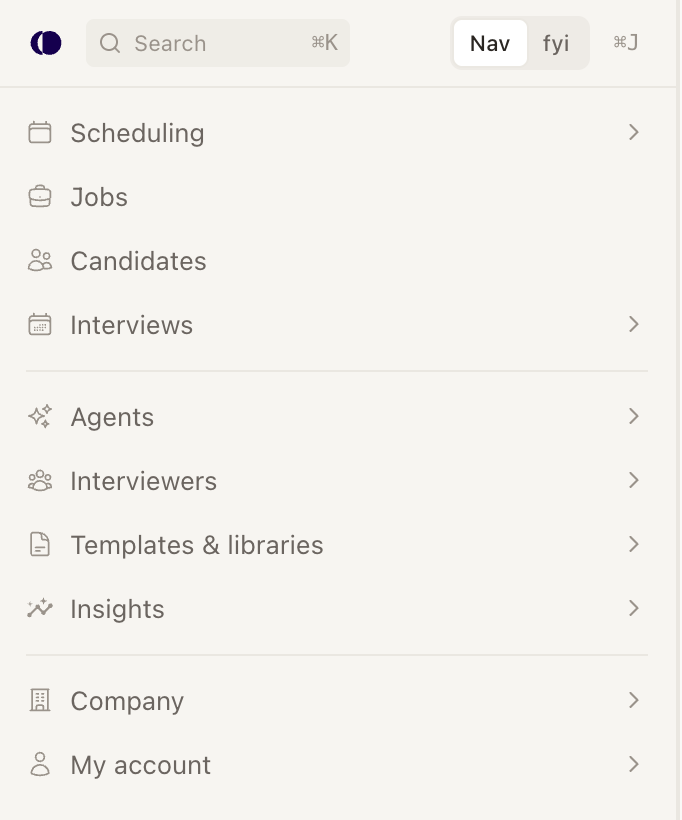
Scheduling
Scheduling is where all interview and event scheduling requests are managed. From here you can open:
My requests
All active
Unassigned
Archived
Queues (when enabled)
Schedulers (management)
Use the All and Requires action tabs to filter scheduling requests:
All: Shows every request in the current view (for example My requests or All active).
Requires action: Shows only requests that need your attention right now (for example send an invite, book a time, or resolve a declined interviewer).
Jobs
Jobs mirrors your roles from the ATS and centralizes everything related to active jobs.
From here, you can view all jobs and see which have active portals and interview automation configured.
Selecting a job provides a detailed view that includes key metrics, an interview pipeline overview, candidates, and links to edit the job’s portal or configure interview automation.
Use the All jobs and My jobs tabs to filter the jobs list:
All jobs: Shows every job available in your organization.
My jobs: Shows only the jobs associated with you.
Candidates
Candidates is where you access candidate lists, including interview and feedback status tied to each job.
Interviews
Interviews consolidates interview activity in one place, including:
All interviews
My interviews
Feedback
Use the Upcoming and Completed tabs to filter interviews:
Upcoming: Shows interviews that are scheduled and still ahead.
Completed: Shows interviews that have already taken place.
Agents
Agents is where you access the agent catalog and related tools, including:
Catalog
Knowledge
Activity
Settings
Any agents you’ve subscribed to under My Agents.
Interviewers
The Interviewers section consolidates everything related to your interviewer management.
You’ll find:
Interviewer profiles and preferences
Tags and interviewer pools
Training modules
This area serves as a single space for managing interviewer information and improving interviewer coordination.
Templates & libraries
All reusable setup content lives under Templates & libraries, including:
Rounds
Playbooks
Email templates
Calendar templates
Token templates
Forms
Portal blocks
Coupons
Use this area to create and maintain templates for consistent communication and scheduling across jobs.
Insights
Insights opens the analytics and reporting area. Depending on what’s enabled for your organization, you may see Ask, Metrics, and Reports such as Engagement, Pulses, and scheduling reports.
Pulse responses live within Insights → Pulses (or under Reports → Pulses), where you can review candidate experience feedback and survey results.
Company
Company is where you manage organization-wide settings such as general settings, users, branding, scheduling defaults, portal settings, experience pulses, and integrations.
My account
My account is where you manage your own account settings. Here, you can update personal information, connect your email or calendar, manage notifications, and access your personal booking links.