Agents Overview
Last updated: November 3, 2026
Agents is where you browse, turn on, and manage AI agents that help with recruiting work—plus the shared knowledge and credit usage that support them.
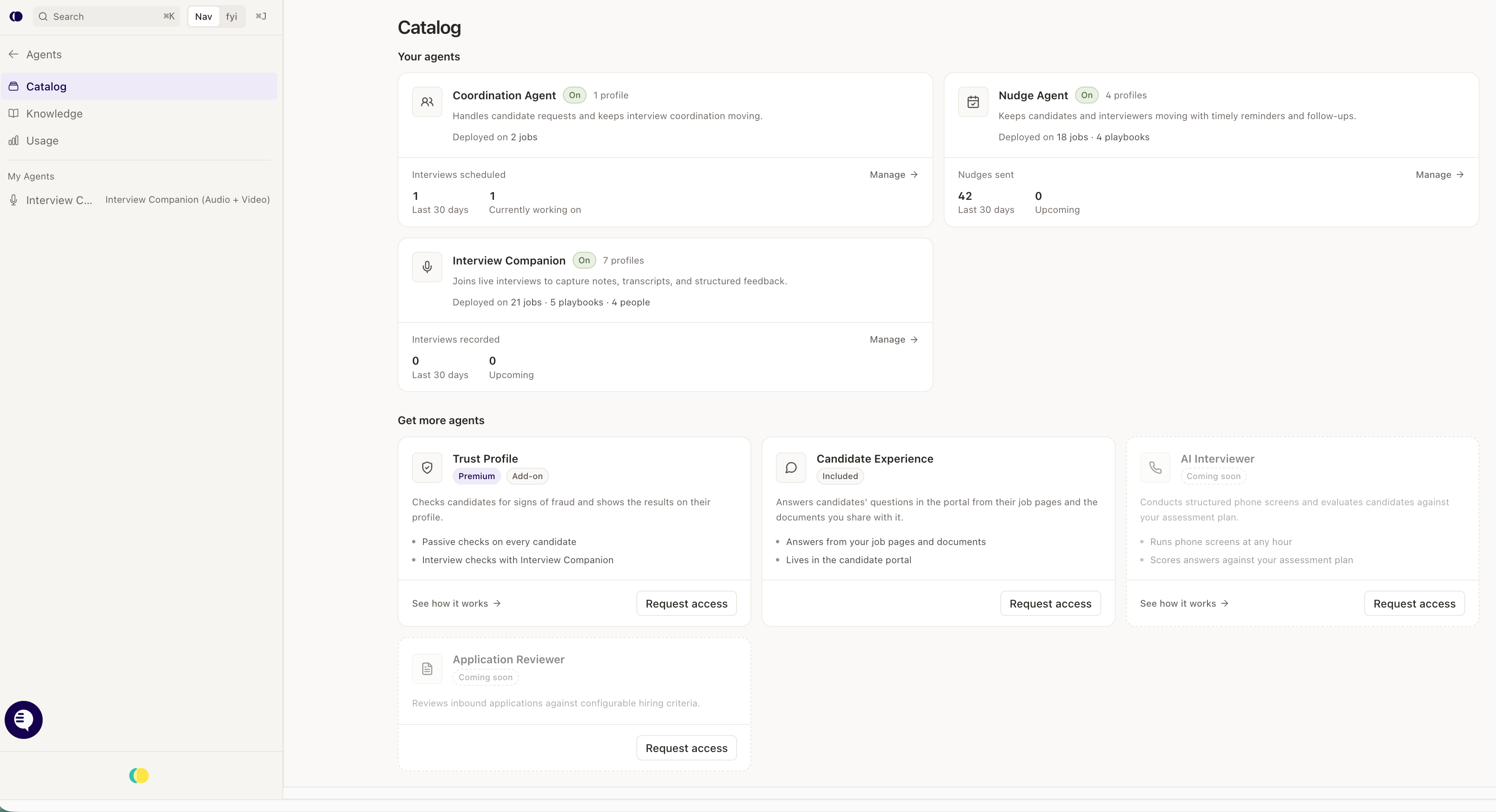
Open Agents
In the left nav, click Agents. Under Agents you’ll see:
Catalog
Knowledge (when available for your access)
Usage (when available for your access)
My Agents — agents you’ve subscribed to (listed by name once you subscribe)
Catalog
Open Catalog to see your AI workforce—configure, deploy, and monitor agents.
Here you can:
Browse agent cards (skills, recent activity, where they’re Deployed on).
Turn on or Turn off agents your organization can use.
Subscribe / Unsubscribe a profile so it appears under My Agents.
Request access when an agent isn’t available yet.
Knowledge
Knowledge holds shared context and documents your agents can use. Add sources once so agents can draw on the same company material. Use Add source and search or filter the list when you need to manage what’s available.
Usage
Usage shows where your agents’ credits go and how long your balance will last—credits left or over, burn rate, projected run-out, and a breakdown by agent and outcomes over a chosen period. Use it to monitor consumption, not to configure an individual agent.
My Agents
My Agents is the left-nav group for profiles you’ve subscribed to from the Catalog.
Before you subscribe to anything, the group can appear empty.
After you subscribe, each agent shows by name under My Agents.
Open a subscribed agent to review its Configuration and Activity Log (and customize settings when your subscription differs from the shared profile).
Subscribe from a catalog card when you want quick access to that agent’s settings from the sidebar.