Integrating Workable
Last updated: October 21, 2025
To connect your Workable account with candidate.fyi, you’ll need two pieces of information:
API Domain
API Token
1. Finding Your API Domain
Log into your Workable account.
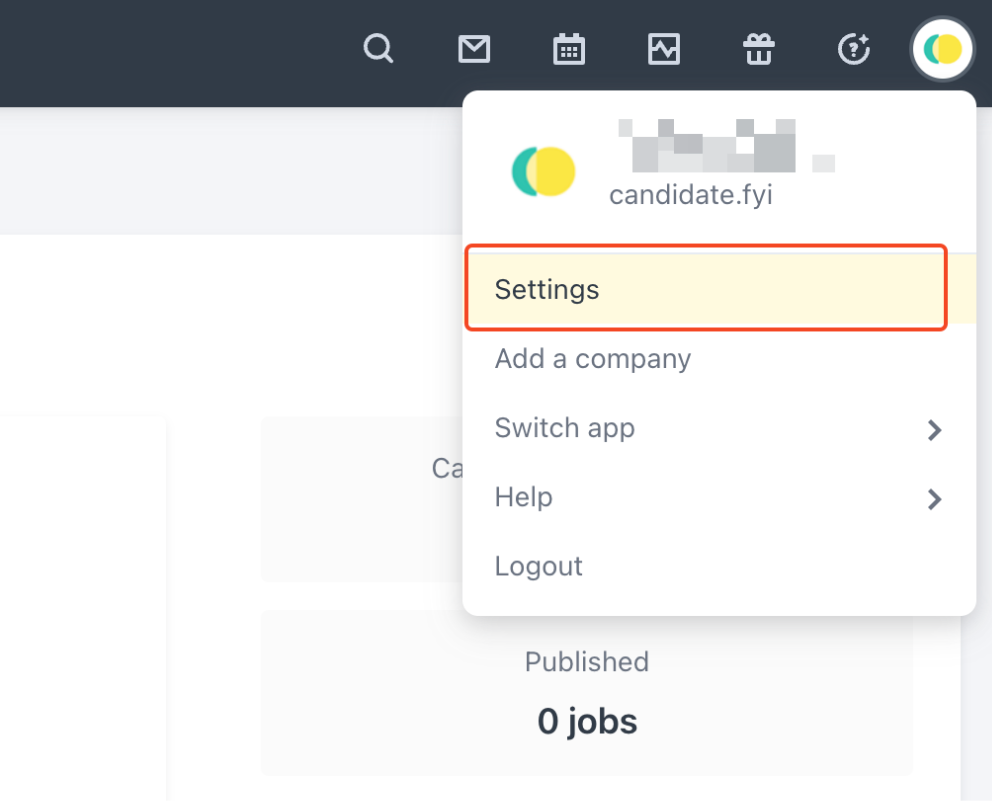
Click your profile icon in the top-right corner and select Settings.
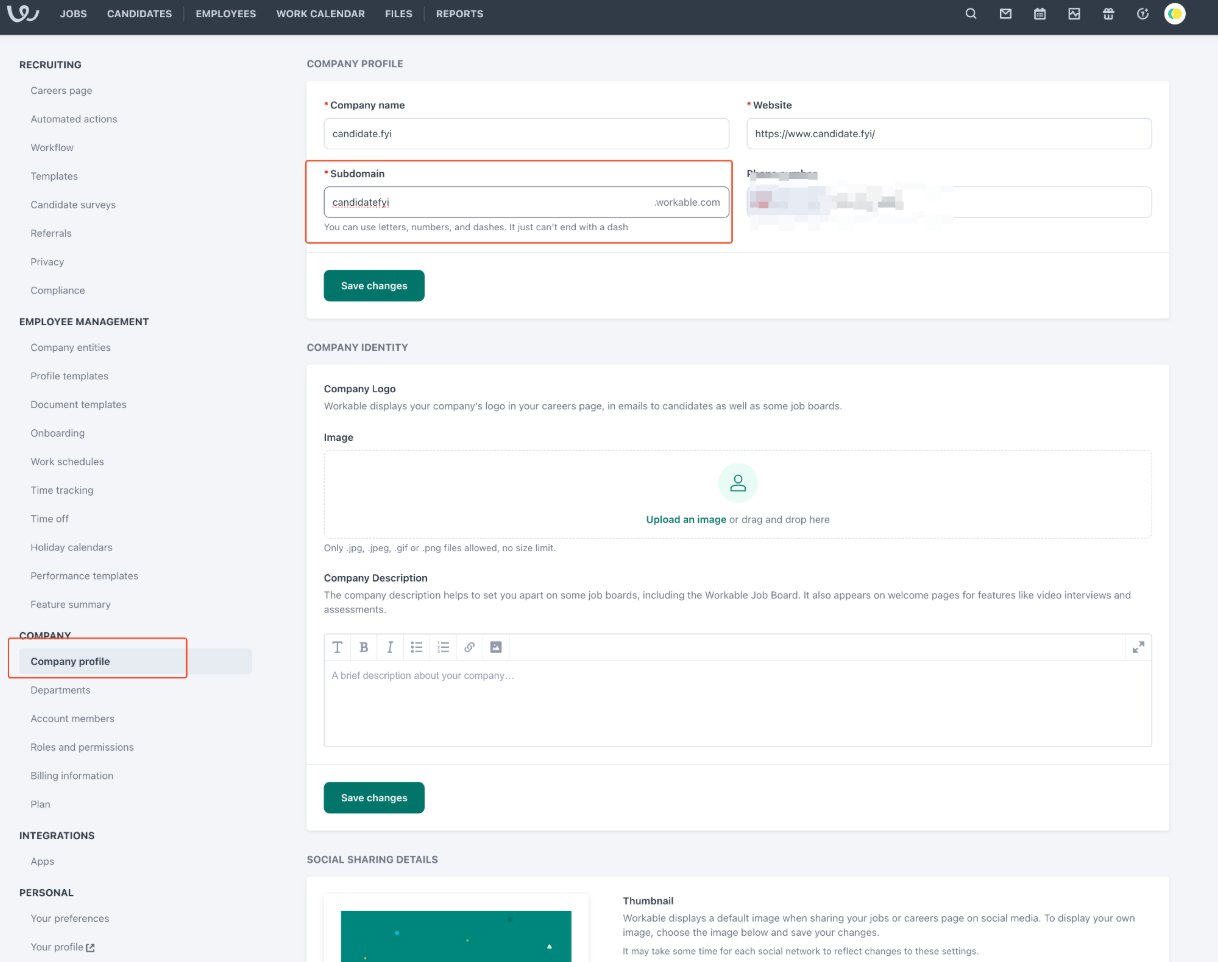
From the left-hand menu, choose Company Profile.
Under the Subdomain field, you’ll see your API domain:
2. Generating Your API Token
In Workable, go to Settings again.
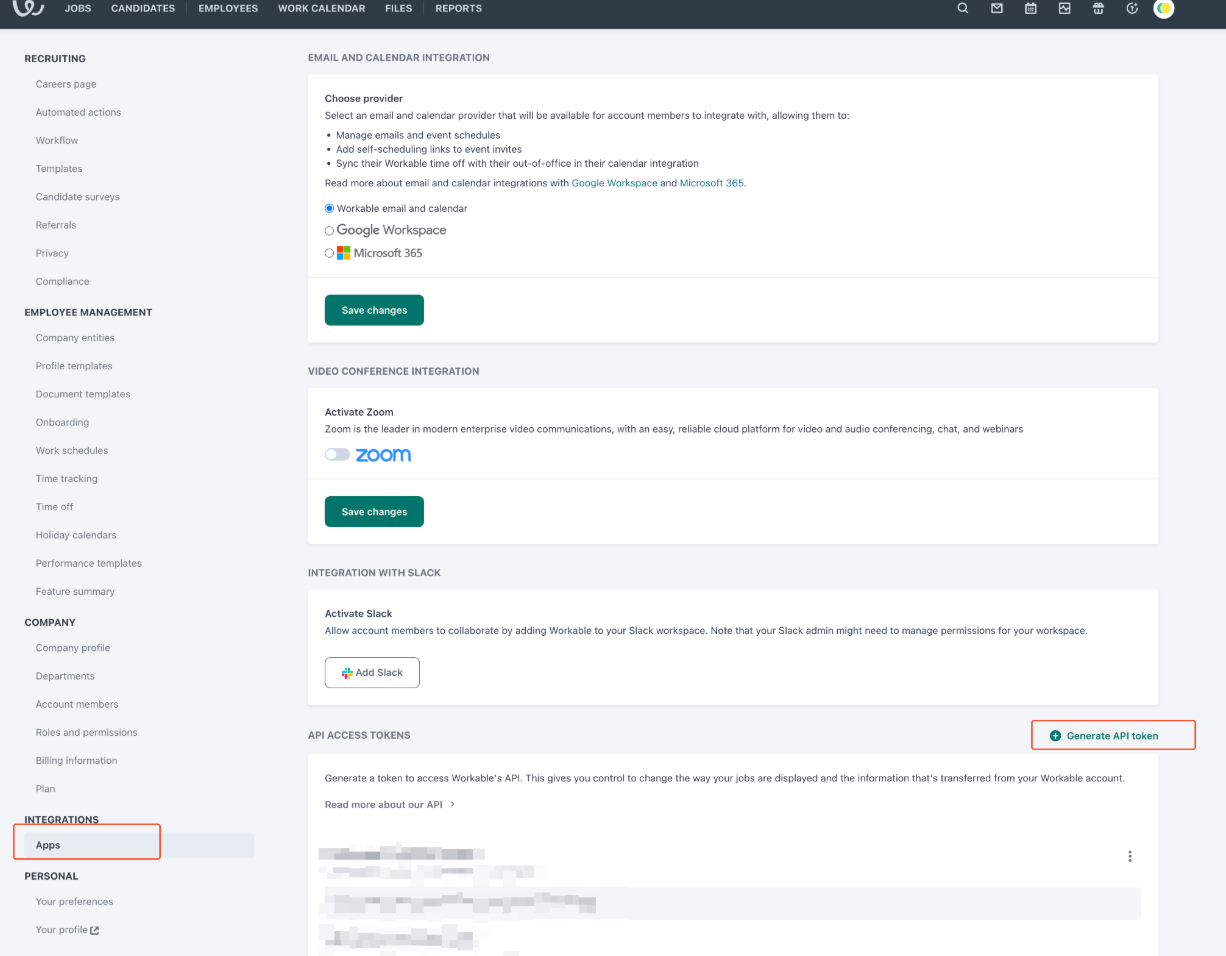
From the left-hand menu, select Apps.
Scroll down to the API Access Tokens section.
Click Generate API Token.
Enter the following details:
Name: candidate.fyi
Expiration: 1–2 years (recommended)
Permissions (Scopes):
r_account
r_candidates
r_employees
r_jobs
r_requisitions
w_candidates
w_comments
Click Generate Token and copy the token value.
Once you’ve collected both your API domain and API token, share them securely with your candidate.fyi representative to complete the integration setup.