Configuring ATS Stage Mappings for the Candidate Portal
Last updated: October 26, 2026
Overview
The 'Stage Mappings' feature allows you to map the stages of your Applicant Tracking System (ATS) to the stages that candidates can view on their portal. This ensures that candidates have a clear understanding of their current status in the recruitment process.
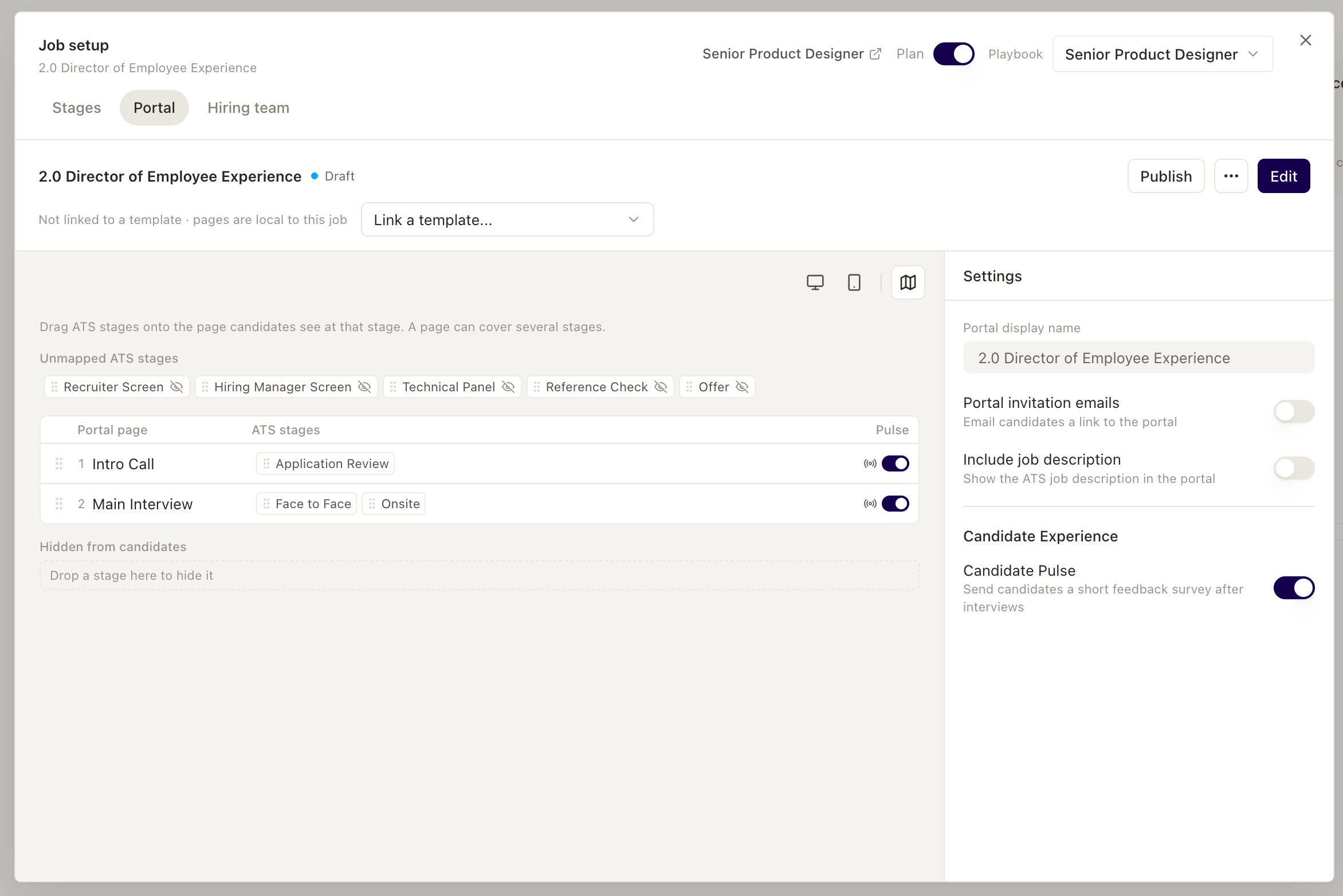
Accessing Stage Mappings
Access this feature as you activate new jobs in candidate.fyi
For non-activated jobs, the stage mapping settings will appear as part of the activation workflow
For live, existing jobs, select "Stage Mapping" icon in the portal settings
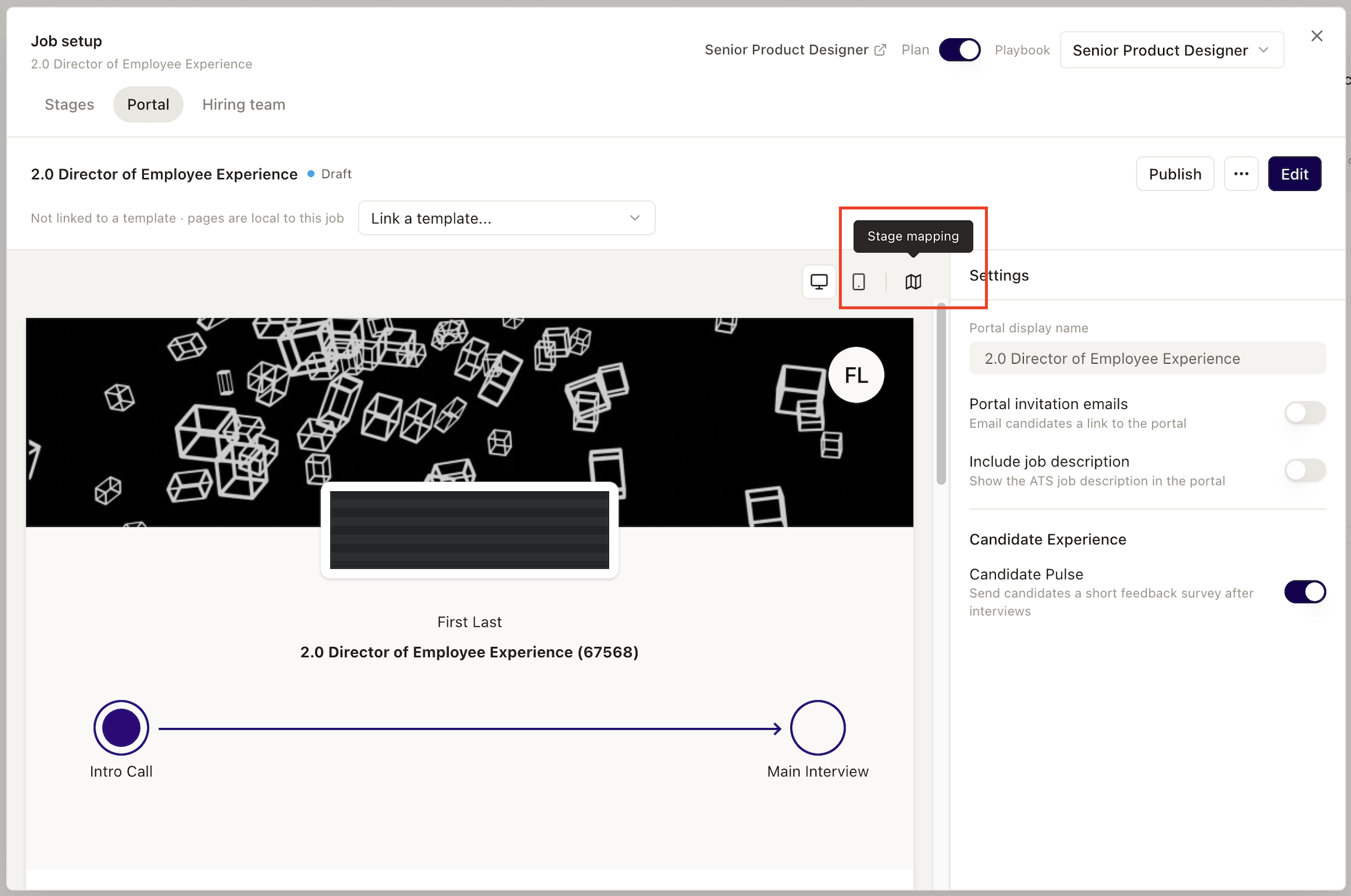
Configuring Stage Mappings
Unmapped ATS Stages: These are the stages we pull in from your ATS for each job
Ignored Stages: When candidates are in an "ignored stage" they will not be able to access the portal. These are typically stages before they fully enter the interview process.
Internal Review: A stage used by the organization for internal assessment.
Referred: Indicates a candidate referred by an employee or associate.
Sourced: Reflects a candidate added by sourcing efforts.
Applied: Shows when a candidate has submitted an application.
Mapping ATS Stages to Candidate-Facing Stages: Each candidate-facing stage can be mapped to one or more ATS stages. For instance:
Recruiter Stage:
Mapped to the ATS stages like 'Phone interview'.
Hiring Manager Stage:
This could be mapped to the "Hiring Manager" interview stage in the ATS.
Team Interview Stage:
Mapped to the 'On site' interview stage
Offer Stage:
Reflects the 'Offer' stage in the ATS, where a job offer is extended to the candidate.
Instructions for Mapping Stages
Add a New Stage: Drag ATS stages onto the page candidates see at that stage. A page can cover several stages.
Edit Stage Mapping:
Click on the stage you wish to map.
Use drag-and-drop functionality to drop ATS stages underneath candidate facing stages
Reorder Stages: Click and drag stages to reorder them according to your recruitment process.
Best Practices
Transparency: Map stages in a way that keeps candidates well-informed of their progress.
Consistency: Ensure that ATS stages and candidate-facing stages are consistently named to avoid confusion.
Clarity: Avoid mapping multiple ATS stages to a single candidate-facing stage if it could cause misunderstanding about the candidate's exact status.
Troubleshooting
If candidates report not seeing the correct stage, verify that the ATS stages are correctly mapped.
Remember, every organization is different so please work with the candidate.fyi team on best practices during stage mappings.