Configure Nudge Agent reminders and follow-ups
Last updated: October 26, 2026
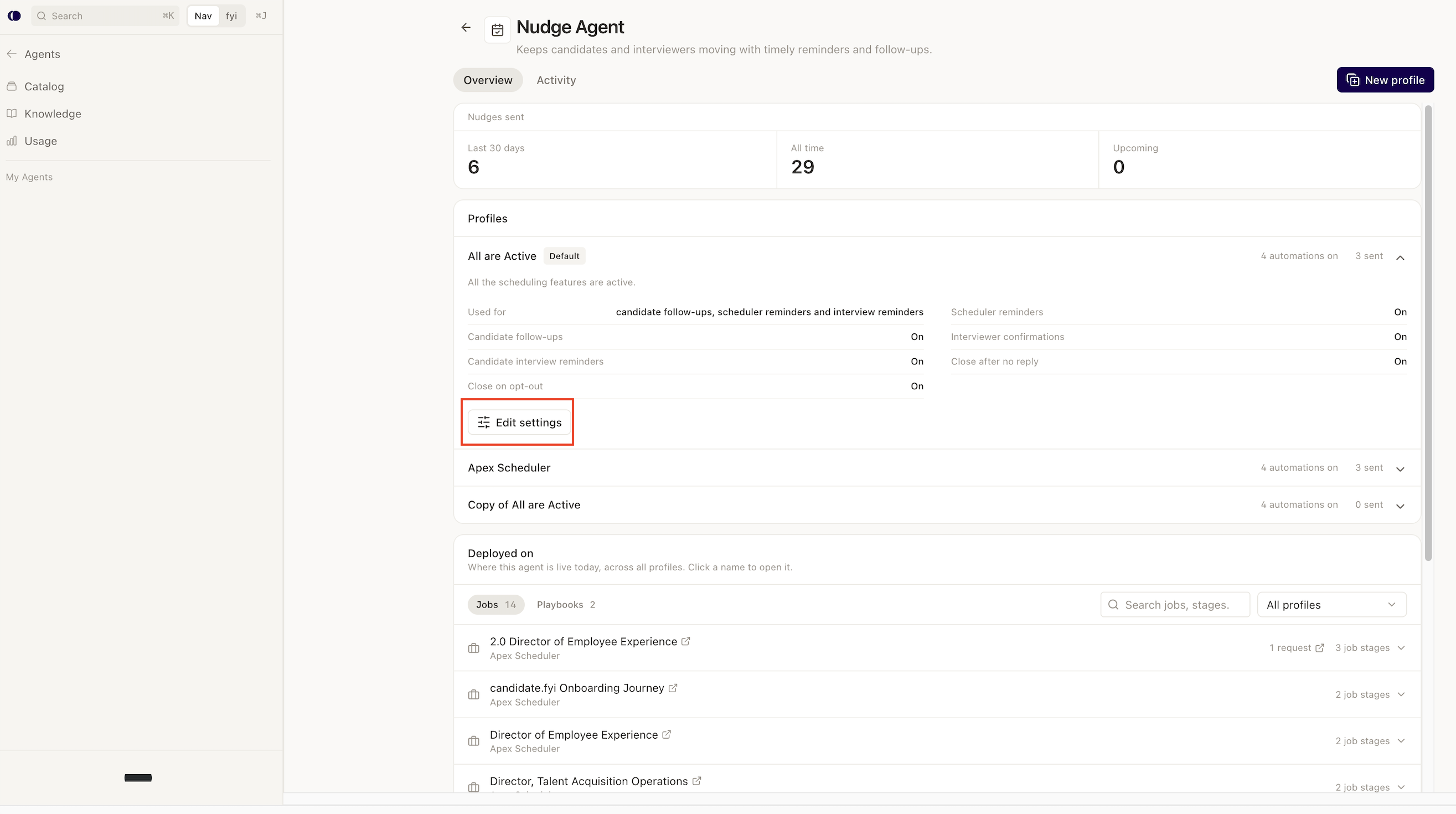
Use Edit settings on a Nudge Agent profile to choose which reminder and follow-up automations run. On Overview, the profile summary shows “N automations on” when any of these features are enabled, or Manual when none are.
For what the agent is and the Catalog vs Scheduling slot name, see Nudge Agent Overview.
Open Edit settings
In the left nav, click Agents → Catalog.
On the Nudge Agent card, choose Manage.
On Overview, expand a profile under Profiles.
Click Edit settings.
Agent details
Section: Agent details.
Setting | Description |
|---|---|
Agent name | The name used to identify this agent. Required. |
Description | An optional description of what this agent does. Shows as None when empty. |
Scheduling features
Section: Scheduling features. Each row is a Yes/No toggle.
These four features count toward “N automations on” on the profile (0 = Manual):
Scheduler Reminders
fyi will automatically alert the scheduler and remind them when they need to schedule an interview.
Candidate Followup Nudges
fyi will automatically follow up with the candidate to enter their availability or schedule their interview if they don't.
When this is on, two nested options appear:
Nested setting | Description |
|---|---|
Auto-close on followup maxout | “fyi will automatically send a final response and close the request if the candidate does not respond within 48 hours of the last followup nudge.” |
Auto-close on candidate opt-out | “fyi will detect when a candidate indicates by email that they no longer want to continue, send a final response, and automatically close the request.” |
Turning Candidate Followup Nudges off also turns both auto-close options off.
Interviewer Attendance Nudges
fyi will automatically follow up with interviewers who haven't confirmed their calendar invite.
Candidate Interview Reminders
fyi will automatically send candidate interview reminders.
Automations on vs Manual
On Manage → Profiles, the mode line reflects how many of the four main Scheduling features are on:
Summary | Meaning |
|---|---|
Manual | All four main toggles are off—this profile isn’t running those reminder/follow-up automations. |
“1 automation on” / “N automations on” | That many of the four main features are on (nested auto-close options don’t add to the count). |
Attach the profile to jobs or playbooks (stage slot Scheduling) before you expect nudges on real requests—see Deploy Nudge Agent.
Tips
Start with the reminders you need most (for example Candidate Followup Nudges and Candidate Interview Reminders), then add others once teams are comfortable.
Use Auto-close on followup maxout only if you want unanswered follow-ups to close after 48 hours from the last nudge.
Use Auto-close on candidate opt-out when you want email opt-outs to close the request automatically.
Different profiles can enable different mixes of features—then deploy the right profile per job or playbook.