Timezones in the scheduling view
Last updated: November 17, 2026
The schedule page draws one clock. Three timezones sit behind it. The dropdown at the top right changes only the clock you are looking through. It does not change the candidate, and it does not change an interviewer.
Read every hour on the grid in the dropdown's zone. Read the working-hours line in the tooltip in the interviewer's zone.
The three clocks
Viewing timezone is the dropdown at the top right. For Pacific, the label reads (GMT-8:00) Pacific Time (US & Canada). It starts as your browser's zone, then this browser remembers the last zone you picked.

Candidate timezone is the letters beside the candidate's name, such as (PST). Those letters show only when this scheduling request has a candidate timezone saved.

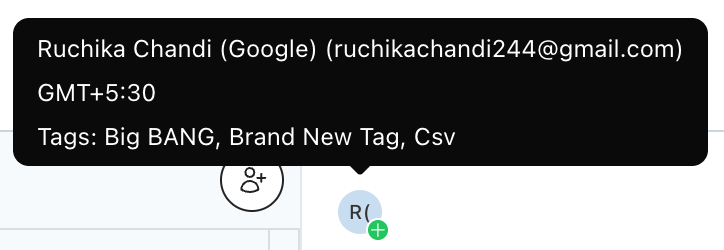
Interviewer timezone under the interviewer's name on the calendar, hover over to see their timezone. If none is saved, the toolbar says "Interviewer timezone not set".
What each mark means
What you see | Whose clock | What it is saying |
|---|---|---|
Hour labels on the grid | Viewing | 9:00 AM is 9:00 AM Pacific. |
Green bar, and its tooltip time | Viewing | The candidate is free. That time is already converted to the dropdown. |
Hatch across part of the day | Interviewer, drawn on the viewing clock | Outside that interviewer's working hours. |
Tooltip: | Interviewer | What they configured, in their own zone. |
Green bar over the hatch | Both | The candidate is free and the interviewer is outside working hours. |
| Candidate | The slot sits outside the windows the candidate submitted. |
Clock mark on an interviewer | Candidate vs interviewer | Their UTC offsets differ right now. Same offset, different city name: no mark. |
A worked example
Dropdown on Pacific Time (UTC-8 in November). The candidate availability tooltip says 9:00–5:00pm. The working-hours line says 9am–5pm UTC. The name says (PST).
The grid is Pacific time.
9:00–5:00pmon the green bar is already Pacific. The candidate is free from 9 to 5 Pacific.9am–5pm UTCis the interviewer's setting. UTC is 8 hours ahead of Pacific, so that is 1:00am to 9:00am Pacific. The hatch covers 9am onward.(PST)matches this grid. Central is 2 hours ahead, soCSTwould be a different clock. The letters alone cannot tell you which.
The hatch is the interviewer's hours translated onto the grid. The tooltip keeps the original numbers and appends their zone. Read the hatch for "when, on this grid." Read the tooltip for "what they configured."
Changing the dropdown
It moves the hour labels, the green bar, and the hatch. It also changes which stretch of time "this day" covers. Tuesday 9:00 AM Pacific is Tuesday 12:00 PM Eastern, so the slots and events on screen can change. The choice is saved on the page URL and in this browser.
It leaves the candidate's saved timezone, the interviewer's timezone, their working hours, and the booked instant alone. Calendars show that instant in each person's own zone.
Where each value comes from
Viewing timezone is this browser, or the
timezoneon the page URL. Empty means the browser's zone.Candidate timezone is this scheduling request. Empty means no letters next to the name. Booking logic then uses the candidate profile, then the scheduler's zone, then UTC.
Interviewer timezone is that person's scheduling preferences. Empty means the toolbar says it is not set, and there is no hatch. A clear background is not "they work all day."
Working hours are a start and end with no zone of their own, read in the interviewer's timezone.