Configuring Pulse Surveys
Last updated: April 21, 2026
To turn on candidate pulse surveys, navigate to the portal you'd like to associate them with. From the portal settings you can toggle on pulse surveys by stage:
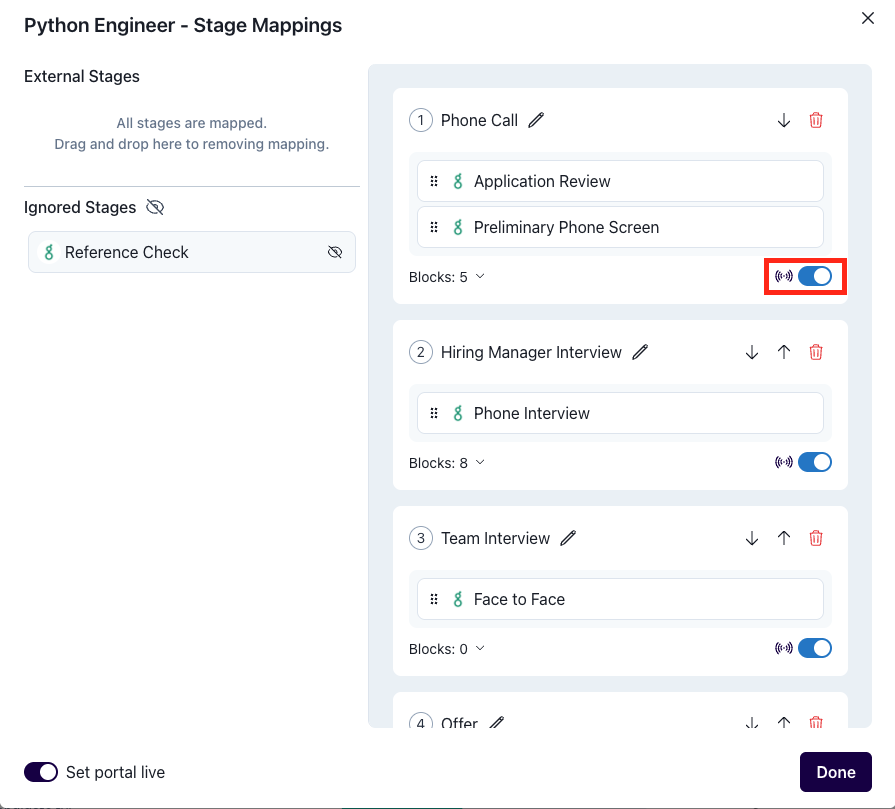
Candidates will receive a pulse survey invitation when eligible, if the option "Pulse Emails Enabled" is toggled on in the portal settings.
When do candidates receive pulse surveys?
Pulse surveys are automatically sent to candidates at different points in their journey to gather feedback about their experience. Here's when candidates receive pulse surveys:
For Advanced Candidates
When a candidate advances to the next mapped portal stage, they will receive a pulse survey about their experience in the previous stage.
For Rejected Candidates
Rejected candidates also receive pulse surveys unless the interview was never scheduled. If you use Greenhouse as your ATS, they will also not receive a survey if they were a no show.
Note: The pulse survey timing is based on the rejection date, not the scheduled rejection email date. Keep this in mind if you use delayed rejection emails.
Survey Format
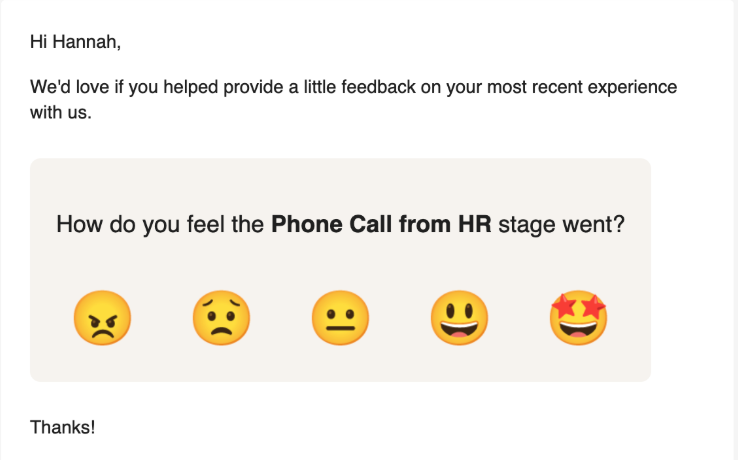
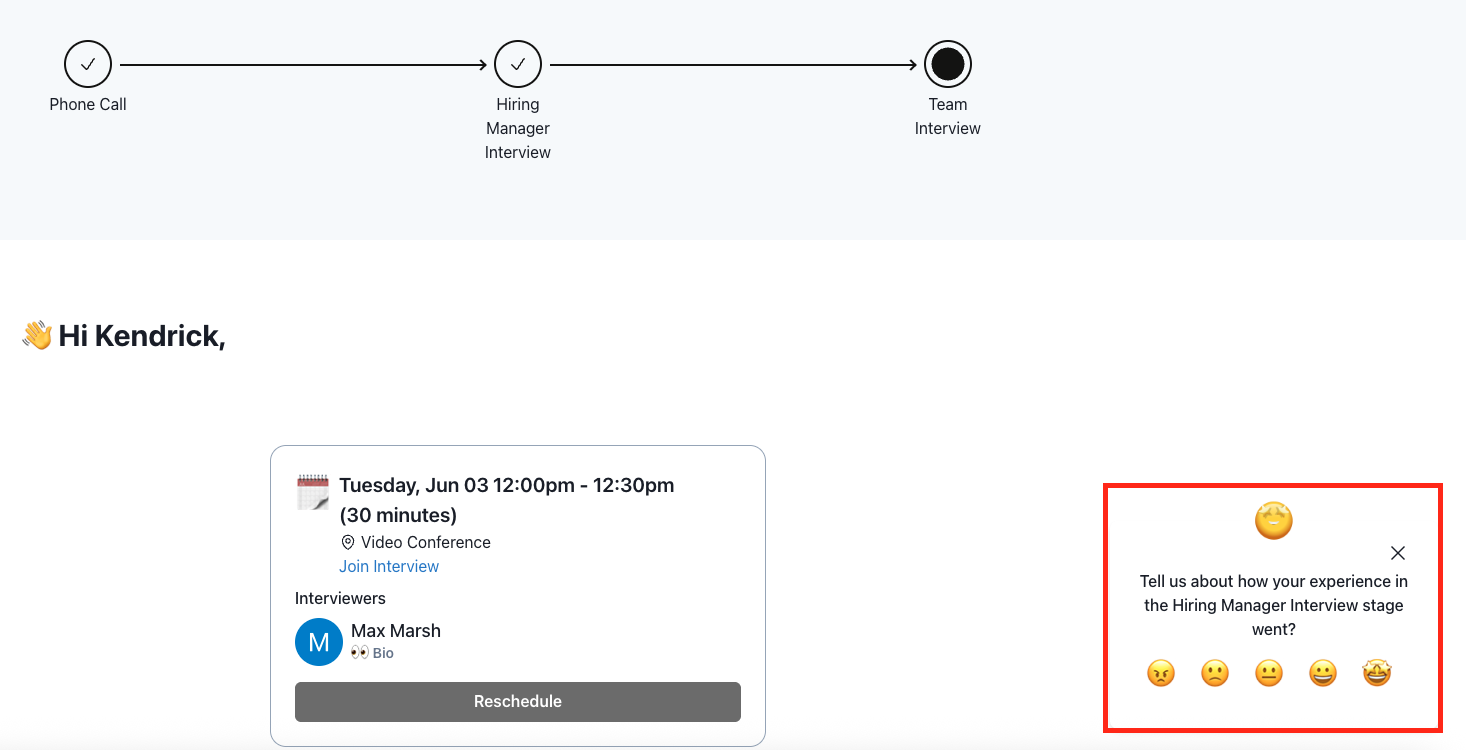
The pulse survey format remains consistent regardless of the candidate's outcome (advanced or rejected). The only difference is that the name will be updated to reflect the relevant stage of the hiring process. Candidates will be directed to their portal to submit feedback.
Example candidate email:
Example in candidate portal:
Pulse Reporting
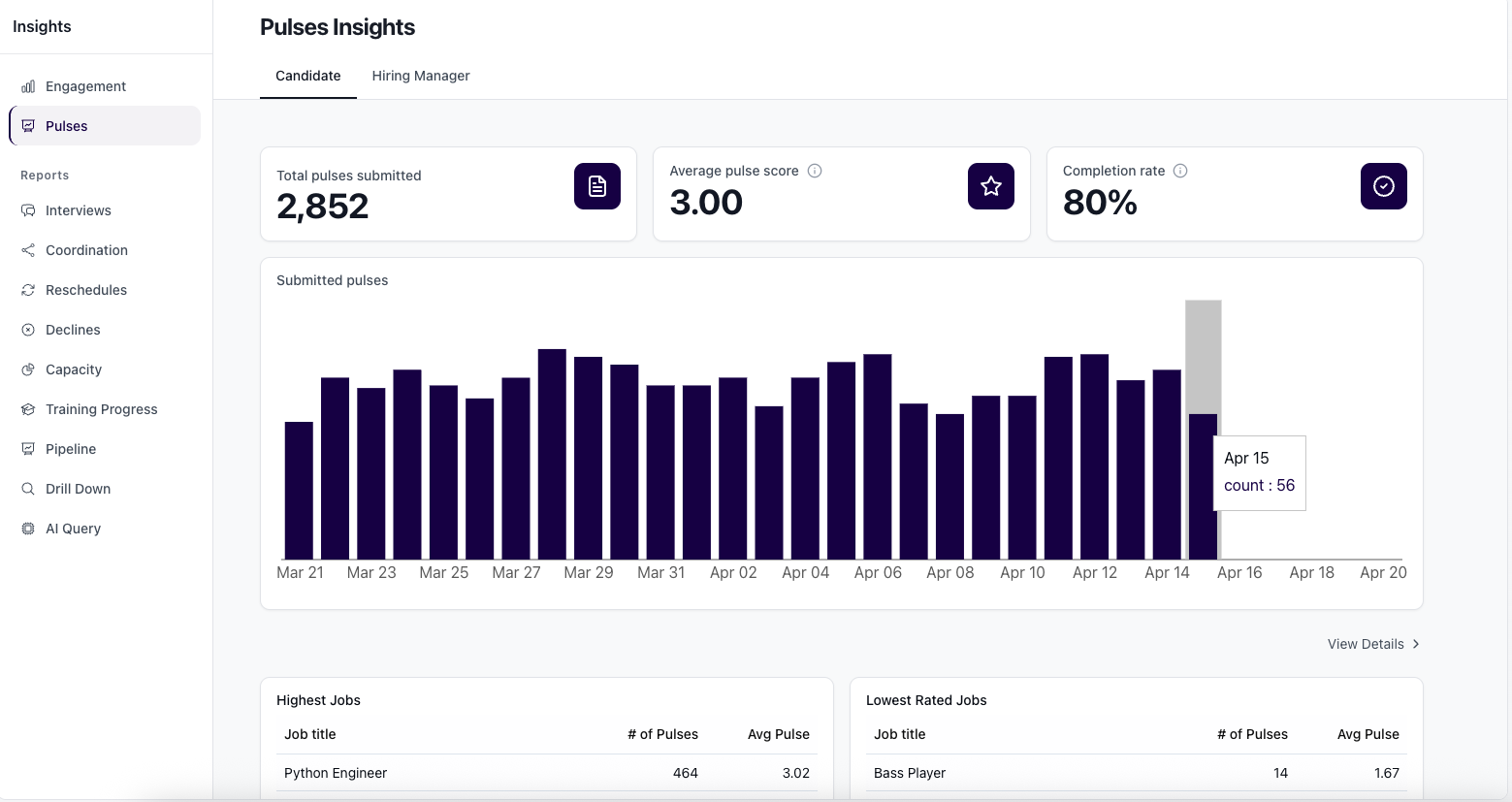
You can view job and candidate specific pulse score insights through the pulses tab of the insights section: