Trust Profile Overview
Last updated: October 26, 2026
Trust Profile helps recruiting teams spot signs of fraud or integrity risk on a candidate—then see those results on the candidate’s profile—so you can decide with more confidence before advancing someone.
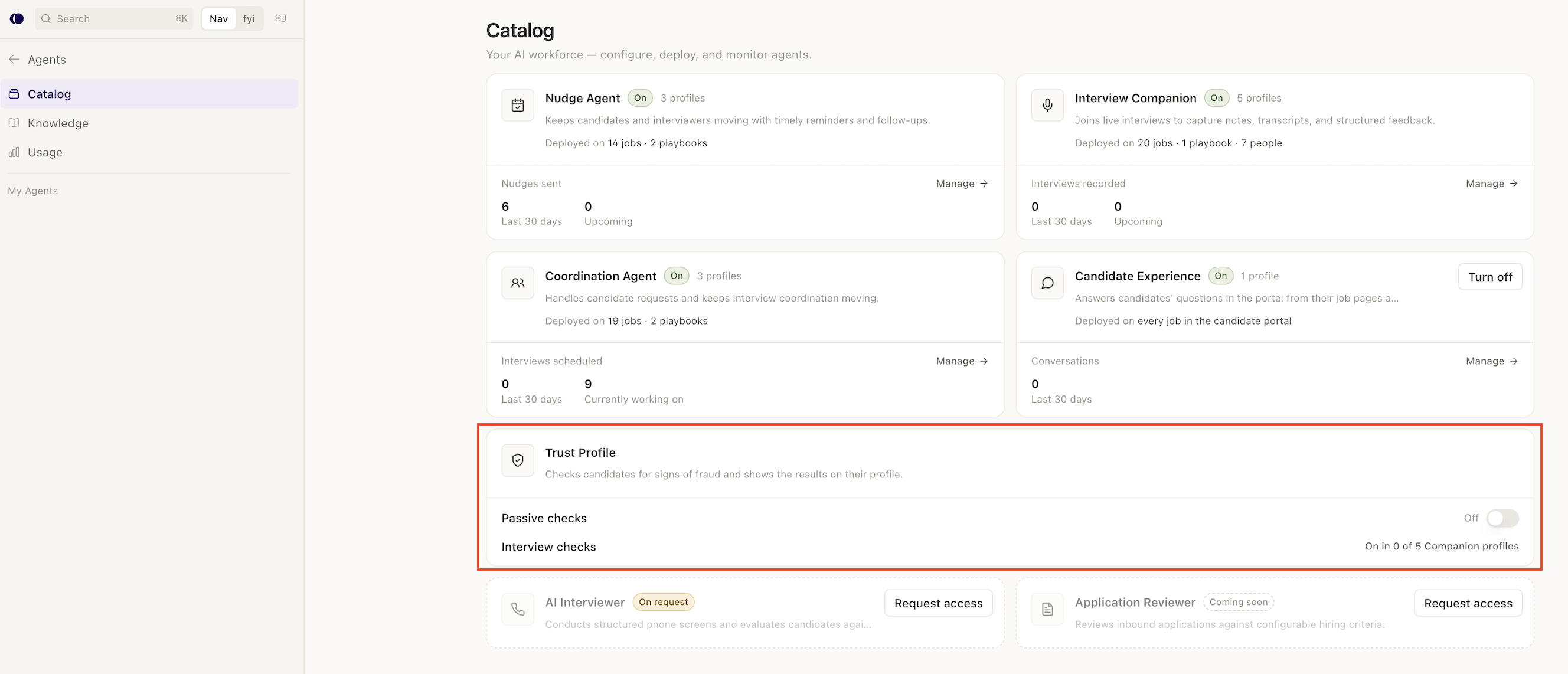
Trust Profile is a Catalog add-on, not a normal agent with its own Manage page and deployable profiles. You turn pieces of it on from the Catalog card (and, for interview checks, from Interview Companion), and results show up where you already work candidates and interviews.
Open Trust Profile
In the left nav, click Agents.
Open Catalog.
Find the full-width Trust Profile card (it sits with your other Catalog cards).
Passive checks vs Interview checks
Passive checks
Passive checks look at identity-style signals tied to the candidate (for example email, phone, and location activity) without depending on a live interview recording.
On the Catalog card you’ll see Passive checks with On or Off. Admins can use the switch to change that (details in Turn on Trust Profile checks).
Interview checks
Interview checks look at interviews that Interview Companion takes notes on—for impersonation and outside assistance (configured on Companion as Run interview checks).
On the Catalog card, Interview checks shows a status such as:
“On in X of Y Companion profiles” — how many Companion profiles have interview checks enabled
Needs Interview Companion — your org needs Companion available before interview checks can run
Admins can follow that status link to Companion Manage or the Companion Catalog card. You do not configure interview checks on a Trust Profile Manage page—they live on Companion profiles (and subscriptions). See Interview Companion articles for Companion setup.
Where results appear
When checks have run, results show in hiring workflows:
On the candidate — open Trust profile (dialog title) for Identity & Verification and, when interview checks apply, Interview Signals. Headline cues on the candidate can include messages such as “Integrity concern detected” or “Possible impersonation in interview.”
On an interview — an Interview Signals card can appear for that interview when interview-check findings exist for the event.
Credits (Usage)
Trust Profile consumption appears under Agents → Usage as lines such as Trust Profile · passive checks and Trust Profile · active checks (see Agents Usage).