Setting Your Portal Live
Last updated: August 4, 2025
Once you've finished setting up your job's portal and want to send it out to candidates, you need to set it to "Live."
If the job's portal is not set to live, candidates will not be able to access the portal!
In order to set the job to live, navigate to the job and click on the portals section on the left-hand side. Select the option to "Set Live"
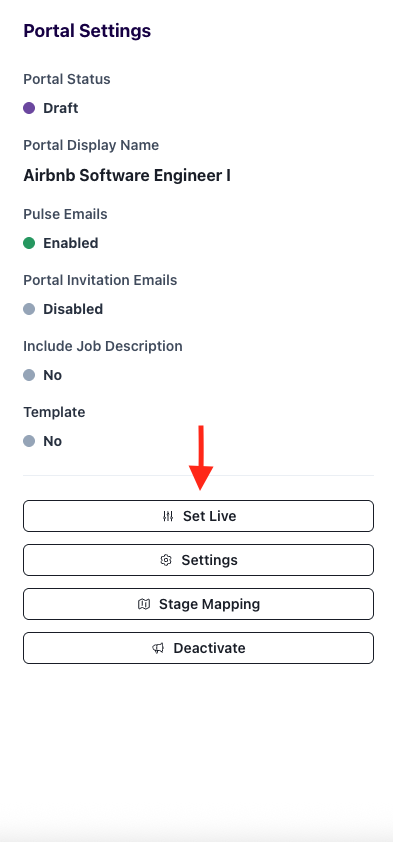
Once it's "Live" you'll see the "Draft" status turn green and say "Live"
Candidates are now ready to access the portal!